


A strong, stable and fast internet connection has become a critical component of many households. From students, parents and entrepreneurs to gamers, media lovers and audiophiles – everyone who uses the internet needs a reliable router in their home or office.
If you want to find the best wireless router for your needs and budget, there are few features you should look for to get the most out of your investment. Whether you enjoy gaming online, surfing the net or working from home; there’s a wireless router for you. This guide will help you find the best wireless router to fit your lifestyle.
Top Picks


Last update on 2026-07-07 // The links above are affiliate // Images from Amazon
How to Choose the Best Wireless Router
Here are a few questions to think about before shopping for the best wireless router:
How many people do you have in your household who use the internet? If you live with several other people who use the internet, your household might be considered to have “high Wi-Fi traffic”. If that’s the case, you’ll need a wireless router that can handle a lot of bandwidth. But the number of people may not always be as important as the number of devices connected to the network, which leads to the next question.
How many devices do you have that require an internet connection? This can be easy to overlook because sometimes people don’t realize just how many devices need Wi-Fi at some point. Here’s a checklist of things you might have that could take up a device spot on your Wi-Fi network:
- Smartphone
- Tablet
- Computer and/or laptop
- TVs
- Blu-ray players
- Cable/streaming devices
- Smart watch
- Gaming consoles
- Household appliances
- Smart speakers
- Sound systems
- Beds (it’s true)
- …and more…
The key thing to keep in mind is the number of devices that will be in use at one time (“in use” meaning connected to Wi-Fi). If you exceed the number of devices that your router can handle, you may not be able to connect additional devices until a spot is freed up or you may experience a major reduction in speed. The best wireless routers will be able to support several devices at one time.
What type of activities will you be using the internet for? Some internet activities are more bandwidth-intensive than others. For example, if you’re gaming online, live streaming and watching YouTube videos, you’ll need high-speed internet as well as a fast wireless router.
Remember: a high-quality wireless router doesn’t necessarily mean you’ll get faster internet. The speed of your internet depends on what type of internet service you are paying for. However, you need to have a router that’s fast and efficient enough to keep up with your high-speed internet (we’ll talk more about this later).
What exactly is a wireless router?
A wireless router is a device that acts as an access point to connect to the internet, both wired and wirelessly. This means you can have the router in one room and enjoy wireless internet in any other room, or you can connect your computer straight to the router for an extremely fast, stable internet connection (provided you have fast internet in the first place).
A wireless router is not the internet itself; you have to pay for internet that is provided to you by your local internet service provider. However, you need a router in your home so that you can use your internet services.
Most internet service providers will let you rent a router for your home. This can get expensive over time, so you will ultimately save money on your internet bills by having your own router instead. Owning a personal router can give you access to more controls and features that might not be available with a rented router. Choosing your own router also means that you can find one with the right Wi-Fi range and features for your household.
Remember the old days when your computer had to be wire connected to the router to grant internet access? With wireless routers, you don’t have to deal with cable limitations anymore. However, it’s important to note that some computers may not come with wireless capabilities and will need to be wire connected to the router.
Luckily, most wireless routers have ports that allow you to connect your devices with a cable if you choose. Always make sure to look at the number and type of ports that a router has, and consider how many ports you’ll need now and in the future.
Three of the most important specifications to look at when shopping for the best wireless router is speed, range and security.
Speed
As previously mentioned, the speed of the router doesn’t really mean the same thing as the speed of your internet. However, the speed of your router will have an impact on your Wi-Fi experience. If you have a really fast internet, you need a router that can handle the speed (it’s all connected!).
Why is router performance important? There’s nothing more frustrating when all you want to do is watch a video or chat with your friend, and the video keeps buffering or stuttering. In combination with high-speed internet, a high-performance wireless router will help ensure that you can maintain a solid wireless connection wherever you are within the router’s range.
Also, if you’re paying the extra money for ultra-fast internet, you want to invest in a router that’s equally high performance so you don’t lose out on any speed.
When shopping for wireless routers, you may come across products that are either “N” or “AC”, followed by numbers (indicating speed). In general, the best wireless routers will be AC because these units are faster and have better performance than N routers.
Range
Just like cellular towers, a wireless router will only be able to reach a certain distance before you can no longer connect to it. To get the most out of a wireless router, a lot of people also use Wi-Fi extenders or choose wireless routers with external antennas to ensure that the entire household have access to clear, stable internet. If you have a large house or you need a lot of available Wi-Fi distance, you’ll need a high-range wireless router, preferably with antennas; or you could go with a mesh home Wi-Fi system.
Mesh Routers
If you’re willing to pay a little more for optimized distance and connectivity, you should look into getting a mesh Wi-Fi system. A mesh system is typically a router that comes with one or more nodes in the form of additional units that may look similar or identical to the main router.
The idea behind a mesh system is that you set up the main router in the center of your house and place the others in different rooms as you see fit. The router and the nodes will provide “mesh coverage” to your house for a more optimized wireless signal.
Interference
In addition to having a wide and powerful range, you’ll also need to ensure that you can put your wireless router in a central location with minimal interference. You should avoid putting it under or behind furniture as this can cause interference with the wireless connection. It’s also ideal to have your device within clear sight of the router (this is where extenders or mesh nodes come in handy).
Sometimes appliances and devices such as microwaves and cell phones can cause additional interference. If you want to test the signal strength of your wireless router, there are several techniques and applications that allow you to monitor your network signal as well as your network speeds.
Overall, you want to make sure that you invest in updated hardware if you want the best possible wireless range from your router. If you want to futureproof your router, it might also be a good idea to spend extra money for a more powerful option with faster speeds and more advanced data management technologies. Wireless technology is always changing and advancing, so be sure to stay on top of the latest news on routers, internet services and devices.
To learn more about how to optimize the wireless range of your wireless router, check out this article.
Security
As much as you like your neighbors, you probably don’t want them accessing your Wi-Fi without permission. More importantly, you want to make sure you have full control over your network at all times while avoiding any activity from viruses, malware or hackers. Additionally, you may also desire parental control features to help keep your kids safe and restricted as needed.
The router is the gatekeeper for all of your devices. With so many devices being used nowadays, router security is absolutely essential.
The simplest and easiest aspect of security for the router is the encryption that is attached to your Wi-Fi password. Essentially, encryption makes your Wi-Fi password harder to break into.
Here is a list of the available encryptions on newer routers, from weakest to strongest:
Open (no password)
- WEP
- WPA + TKIP
- WPA + TKIP/AES
- WPA + AES
- WPA2 + AES
Bear in mind that, not only your router has to support this encryption, but so do the devices that you are connecting to your router.
While the encryption is important, the strength of your password can be equally important. Choosing a short password or one that is easy to guess (your name) can be an easy way for outsiders to get in and do the damage to your network. Having a long password with numbers, upper case, lower case and special characters can help improve your chances of no one guessing it correctly.
The firmware of your router is also a way to keep your network safe. If your firmware has not been updated, you may be at risk of a breach. Keeping your firmware up to date is recommended by all modem and router manufacturers.
Think of it as the same as keeping your anti-virus scanner updated; there may be new viruses in the world that your scanner doesn’t know about and can’t detect, so it’s essential to stay updated. Along with security updates, updating firmware can also improve or add features to your router.
One a final note, the best wireless router will have an intuitive user interface with an easy-to-use downloadable app. The best router apps will let you control, monitor and customize your network so that you can enjoy your internet according to your unique lifestyle.
14 Best Wireless Routers
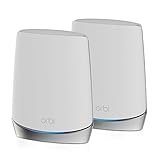
NETGEAR Orbi WiFi 6 System (RBK752)
A Wi-Fi System Designed for the Future

NETGEAR Orbi WiFi 6 System is an efficient, modern-looking set that delivers an excellent 5000 square feet Wi-Fi coverage, as well as the ability to connect between 40 and 60 different devices to the same network. It is a bit pricey; however, if you want almost flawless performance, it is more than justified investment.
NETGEAR Orbi WiFi 6 is a tri-band system that allows for up to 4.2Gbps data transfer speed and offers compatibility with both older and new Wi-Fi eco-systems, including Wi-Fi 6. This two-pack device is also fitted with LAN connectivity and comes with a total of six Ethernet ports (four on the router and two on the satellite) and it provides, common features for today’s standards, such as MU-MIMO, Beamforming, and Smart Connect technology.
When talking about security features, NETGEAR Orbi WiFi 6 supports WPA2, it is fitted with a Firewall and also provides a separate Guest Wi-Fi network. Moreover, it is fitted with VPN, DoS, and many other neat features that make this system one of the best wireless routers out there.
- Easy to use
- Excellent coverage
- Reliable signal
- A lot of features
- A bit pricey
Linksys EA7500-4B
A Good Quality Wireless Home Router

Linksys EA7500-4B is a well-built, solid-performing Wi-Fi 5 wireless router that brings reliable transmission and enough security features for a home device. This Dual-band router supports a combined speed of 1.9Gbps (600Mbps in 2.4GHz band and 1300Mbps in 5GHz band) and can cover around 140 square meters of space.
Moreover, it is fitted with both MU-MIMO and Beamforming technology and is able to handle up to 15 simultaneously connected devices. When talking about connectivity, there are four Gigabit LAN ports, one Gigabit WAN port, as well as a single USB3.0 port, which isn’t much, yet should be more than enough for home use.
Linksys EA7500-4B is an easy-to-use device that is compatible with basically any major operating system and offers a good list of security features that involve 64/128-bit WEP encryption, as well as WPA2 security protocols.
In other words, there is a good set of features, solid performance, in short, everything you may expect from one of the best wireless routers out there.
- Easy setup
- Beamforming
- Decent speed
- MU-MIMO support
- A bit pricey
Asus ROG Rapture GT-AX11000
An Exceptional Gaming Wi-Fi Router

Asus ROG Rapture GT-AX11000 is an attractive-looking tri-band (one 2.4GHz band and two 5GHz bands) gaming router that offers Wi-Fi 6 compatibility and blazing-fast data transfer speeds (11000Mbps) that position it among the best wireless gaming routers. As you may guess, this isn’t the regular home router, but a real gaming beast that offers a ton of features, and before anything else, guarantees great performance.
Simply, this is a device that doesn’t accept compromise and it offers game server and usage prioritization, advanced monitoring, and network management, as well as numerous customization options that will help you make this router the best wireless router possible.
Asus ROG Rapture GT-AX11000 is packed with quality hardware such as Broadcom BCM43684 Wi-Fi chip, 1.8GHz Quad-core CPU, as well as 1GB of RAM. They are doing a serious job together and are the main reason for its glorious performance.
On top of that, this router offers many other interesting features, such as ASUS AiProtection security and the ability to create a mesh network from other Asus routers. Also, it is equipped with nice-looking RGB lighting, it offers four LAN connections and two USB3.0 ones. In other words, a full package is guaranteed.
What’s even more important is that it has no true competition other than the TP-Link Archer C5400X, which means that Asus ROG Rapture GT-AX11000 is a great choice and a device that will provide one of the best gaming experiences possible.
- Excellent data transfer speed
- A lot of customization options
- A very good security software package
- Low latency
- Pricey
- Large
Linksys Velop Tri-band Wi-Fi System
Another Great Home Router With Tri-band

Though Linksys Velop doesn’t offer such great coverage as the AmpliFi HD Kit, there are some other features which make it one of the best Wi-Fi systems to choose from. Its tri-band Wi-Fi replacement guarantees high-quality and mesh coverage. Besides, its Wi-Fi connection is stable and provides fast performance.
Note that Linksys Velop Tri-Band Home Mesh Wi-Fi System can be connected to your modem from almost any ISP. The setup process won’t be difficult as well. Its slim and modern minimalist tower design will also make it a stylish part of your interior.
Linksys Velop has also got Linksys Shield to control the network and secure Wi-Fi connection. Such option as parental control is available too. You can use it to filter content or manage screen time on certain devices. But keep in mind that you can use Linksys Shield only when having Linksys App. Note that this app provides guest access, speed test and device prioritization. By the by, Linksys Velop also offers voice control.
- modern design
- high tri-band speed
- simple installation
- MU-MIMO enabled
- stable connectivity
- expensive
- no USB ports
- only one LAN Ethernet port
- doesn’t provide dedicated band control
Google Nest WiFi Router 3 Pack
A Reliable and Easy-to-Use Wi-Fi Router

If you are looking for a trustworthy wireless router that will do a great job and provide excellent network coverage for multiple devices in your home or office, Google Nest WiFi Router 3 Pack is the device for you.
This is a pretty flexible and easy to use dual-band system that maybe doesn’t bring the compatibility with the latest Wi-Fi 6 technology, and it offers more mainstream 2200Mbps data transfer speed (400Mbps in 2.4GHz and 1733Mbps in 5GHz band); however, it also offers great coverage (the three-pack system can cover 6600 square feet), reliable performance, and equally importantly, support for simultaneous connection of up to 200 different devices.
It supports Wi-Fi 5 standard and MU-MIMO, it has two Ethernet ports, and overall it presents a pretty attractive, smooth-looking product.
More importantly, it is run by a 1.4GHz Quad-core CPU and 1GB of RAM, while Qualcomm QCS 400 chip is responsible for its Wi-Fi performance that maybe doesn’t bring the super-fast speeds, but it provides a stable and reliable connection, which is, on the other hand, a priority for many users when choosing the best wireless router out there.
- Easy to use
- Great flexibility
- Ability to connect up to 200 devices simultaneously
- Good performance
- Compact
- No Wi-Fi 6 support
- Only two LAN ports
TP-Link Archer AX20
An Excellent Mid-Range Wireless Router

If you seek an affordable, yet reliable wireless Wi-Fi 6 router that delivers a reliable and stable performance the TP-Link Archer AX20 is the router for you. To be exact, this router supports a combined data transfer speed of 1.8Gbps, with the maximum speed of 1200Mbps in the 5GHz band and 574Mbps in the 2.4GHz band. Also, there is OFDMA technology, as well as Beamforming and MU-MIMO support.
In addition, this router features WPA3 security and OneMesh. In other words, it has quite a lot to offer.
To make things even better, TP-Link Archer AX20 is easy to set up and comes with a nice set of connectivity options that involve one Gigabit WAN port, four Gigabit LAN ports, as well as a single USB2.0 port. Inside of it, there is a Broadcom BCM6755 1.5Ghz Quad-Core CPU that is the main reason for its great performance, while the compatibility with Amazon Alexa, as well as the long-range coverage, is an additional bonus and makes this router an excellent deal.
Ultimately, if you are after the speedy and reliable wireless router, packed with features, TP-Link Archer AX20 is a win-win deal for you.
- Beamforming
- OneMesh
- Good connectivity
- Solid data transfer speeds
- WPA3
- Affordable
- Easy setup
- None
TP-Link AX6600 (Archer GX90)
The Best Wireless Gaming Router

Finding the perfect wireless router isn’t the easiest job in the world. However, there are times when a device blows you away with its performance and the long list of features, and one such device is the TP-Link AX6600 (Archer GX90). It has great speed, reliability, excellent features – in short, everything you may need for your gaming or other tasks.
TP-Link AX6600 (Archer GX90) is a tri-band, Wi-Fi 6 router, with a maximum data transfer speed of 4804Mbps in the first 5GHz band, 1201Mbps in the second 5GHz band, as well as the 574Mbps in the 2.4GHz band. This router also features game streams optimization and comes packed with features such as OFDMA and MU-MIMO technology, antivirus, and robust parental controls. Also, there is QoS, OneMesh, Beamforming, Port Forwarding, and more importantly, 4T4R and HE160 technology that are the key reasons for its flawless performance.
Moreover, TP-Link AX6600 (Archer GX90) can also be used as a smart VPN router, it features HomeCare security system, along with WPA3 encryption. Also, there is a nice set of connectivity features, such as one 2.5Gigabit WAN port, one Gigabit WAN port, three Gigabit LAN ports, as well as two USB ports.
TP-Link AX6600 (Archer GX90) features low-latency performance and can handle up to 100 simultaneously connected devices.
All in all, it has everything you may wish for from a wireless router. Therefore, it certainly presents the sheer top of the offerings and is the best wireless router out there.
- Low-latency performance
- Great data transfer speed
- It can simultaneously connect up to 100 devices
- Game accelerator
- WPA3
- None
ASUS ZenWiFi System (ET8 2PK)
A Well-Performing and Highly Reliable Wi-Fi Router

ASUS ZenWiFi System (ET8 2PK) is another excellent performing Wi-Fi router, packed with all the latest features, such as Wi-Fi 6E compatibility and lifetime ASUS AiProtection Pro.
To make things even better, this router also offers blazing-fast data transfer speeds that reach up to 4804Mbps in 6GHz mode, 1201Mbps in the 5GHz band, and 574Mbps in the 2.4GHz range. Also, its coverage is around 510 square meters, while the numerous connectivity options involve a 2.5Gbps WAN port, three Gigabit LAN ports, as well as a single USB3.1 port and power port, etc.
ASUS ZenWiFi System (ET8 2PK) features 12 antennas and is stacked with multiple functions that involve WPA3 security, Parental Controls, and 1021QAM. In addition, there are also MU-MIMO, Beamforming, as well as OFDMA. In other words, everything needed for premium performance is there.
For that reason, if you seek a high-performing Wi-Fi router that brings nothing less than great speeds and amazing performance, ASUS ZenWiFi System (ET8 2PK) is more than a reasonable choice.
- Easy to install
- Very good performance
- Great speed
- MU-MIMO
- Good connectivity
- Good signal range
- Expensive
ASUS Wireless-AC1700 (RT-ACRH17)
The Best Wi-Fi Router Under $100

ASUS Wireless-AC1700 is a dual-band Wi-Fi router with 802. 11ac MU-MIMO (4T4R) technology. Its data transfer speed reaches up to 1700 Mbps. Its two 2.4 GHz and 5 GHz bands deliver up to 400 Mbps and 1300 Mbps speeds. There is also a quad-core processor with 356 MB RAM which is responsible for the optimization of network traffic.
RT-ACRH17 comes with USB 3.0 and 4 GB LAN ports. MU-MIMO technology guarantees excellent speed performance for multiple devices. Note that this router can support up to three 3 MU-MIMO-compatible clients at the same time. Besides, there is AiRadar Beamforming technology provided with four fixed antennas which boost wireless coverage.
As well as all other pre-cited Wi-Fi routers and systems RT-ACRH17 is designed with ASUS router app. It helps to setup the network and manage all the available options like parental control.
- great performance
- MU-MIMO technology
- Beamforming
- user-friendly app
- affordable price
- stable coverage
- poor storage performance
- doesn’t support AiMesh
- no third-party firmware support
- a bit bulky design
- only one USB port
TP-Link Archer A20
An Affordable, yet Efficient Wireless Router

TP-Link Archer A20 is a budget-friendly, three-band Wi-Fi router that offers an excellent combination of performance, features, and last but not least, price.
This isn’t a high-end gaming router, with traffic and user prioritization, or super-fast speeds; however, it is a device that will give you reliable performance and a solid set of features that are more than enough for the majority of users. There is a solid 4000Mbps (1625Mbps on each of the 5GHz bands and 750Mbps on the 2.4GHz band) data transfer speed, good compatibility that allows its use with Windows, Linux, and Mac, as well as numerous functions such as parental controls, QoS, NAT Forwarding, etc.
When talking about the hardware inside of it, you should know that it is run by the Broadcom BCM4908 1.8 GHz CPU, 512MB of RAM, and 128MB of NAND flash, while the radio performance is under the control of BCM4365E chip, resulting in a pretty good overall performance.
TP-Link Archer A20 is fitted with four LAN ports and one WAN port, as well as one USB2.0 and one USB3.0 port; it supports MU-MIMO, Beamforming, Link Aggregation and even provides malware protection.
In other words, a pretty good overall package is guaranteed with this router. That is, of course, if the best budget-friendly wireless router is what you have been seeking in the first place.
- Two-year warranty
- Easy to use
- Fast performance
- Affordable
- None
Synology RT2600ac
Excellent Great Wireless Router for Gaming with Dual Wan Support

Synology RT2600ac is designed with 1.7GHz Dual-core processor which delivers fast and reliable performance. Besides, there are two hefty 4×4 802.11ac wave radios which come with MU-MIMO technology. This Wi-Fi router provides up to 2.53Gbps speeds and has Smart Connect which guarantees top-notch transition between maximum speed or range.
Its Synology Router Manager (SRM) operating system will take care of easy and fast setup as well as management operations. Thanks to traffic monitoring tool you will be also able to control and shape the flow of data in your network. This router has got solid security system which includes intrusion prevention, denial-of-service protection, and firewall management. Apart from this, it is provided with a powerful VPN server.
By the by, Synology RT2600ac can be used as a centralized entertainment server, so you may enjoy multimedia content using DLNA home devices.
- user-friendly web interface
- two USB ports and SD card slot
- dual WAN support
- great media server options
- can be used as a reliable network storage server when coupled with an external hard drive
- MU-MIMO technology
- stable connection
- VPN support
- only five network ports
- lacks wireless bridge
- poor guest network feature
- bulky
Linksys WRT 3200 ACM
Great Home Wireless Router with Open-Source

As well as all pre-cited Wi-Fi routers and systems this one is also provided with MU-MIMO technology. Besides, there is Tri-Stream 160 technology for better speed without lagging. It doubles the bandwidth of the 5 GHz band to boost data-heavy activity with 2.6 Gbps Wi-Fi speeds. As this wireless Wi-Fi router is also DFS Certified its number of channels available at 80MHz is also tripled.
Linksys WRT AC3200 is equipped with several ports suitable for eSATA and USB hard drives, network printers, flash drives etc. Note that Linksys WRT AC3200 is open source ready which means that you can adjust it with OpenWrt and DD-WRT according to your personal needs and requirements. Open Source Firmware includes VPN setup as well as turning a router into a web server. You can also create hotspots, manage network traffic and detect its intrusion.
By the way, this router is designed with 1.8 GHz dual-core processor which can cope with heavy network traffic and deliver low latency. As a result, you get a responsive home network with advanced speed.
- great file transfer speed
- fast 5 GHz throughput
- MU-MIMO and Tri-Stream 160MHz technologies
- good wired connectivity
- hefty hardware
- user-friendly interface
- high level of customization
- no 160MHz clients available
- old design
- connection drops
TP-Link Archer AX21
A More Basic-Oriented Wi-Fi Router

If you’re looking for a solid-performing, reasonably priced Wi-Fi router that brings an excellent value for the money, the TP-Link Archer AX21 is the device for you. This is a more basic-oriented device, with a limited number of features; however, with more than enough functionality for the mainstream user.
TP-Link Archer AX21 supports 1.8Gbps data transfer speeds (1200Mbps in 5GHz band and 574Mbps in 2.4GHz band) and offers nice connectivity that includes a USB2.0 port, four Ethernet ports, and a single WAN port. Also, this router works with Alexa and features MU-MIMO, OFDMA, as well as WPA3 security.
TP-Link Archer AX21 has four high-gain antennas and comes with the TP-Link’s Tether app that is compatible with both Android and iOS and offers easy setup, suitable for anyone. In short, there are enough resources for any mainstream user. Therefore, if you are after one of the best Wi-Fi routers out there, that brings great value for the money, this device is the thing for you.
- Great value for the money
- Nice looking
- Easy to use
- Solid performance
- A limited number of features
ASUS AX5700 WiFi 6 Gaming Router (RT-AX86S)
One More High-Performing Wi-Fi Router
ASUS AX5700 WiFi 6 Gaming Router (RT-AX86S) is an exceptional gaming Wi-Fi 6 router that presents a great deal, thanks to its performance and a long list of features, such as the Gaming port and mobile game mode, ASUS AiMesh support, as well as the Lifetime Free Internet Security.
In addition, ASUS AX5700 RT-AX86S offers a blazing fast 5700Mbps speed (4804Mbps speed in the 5GHz band and 861Mbps speed in the 2.4GHz range) and can cover the area of around 232 square meters. Also, this router offers Mesh WiFi Support, comes with MU-MIMO and Beamforming compatibility, and has a TWT (Target Wake Time).
When talking about connectivity, ASUS AX5700 RT-AX86S features four Gigabit LAN ports, one USB2.0, and one USB3.0 port, as well as a single 2.5G WAN/LAN port and an additional WAN port. In short, it offers a pretty good value for the money.
For that reason, if you are after a solid performing and well-built device that offers great versatility and is among the best Wi-Fi routers available, ASUS AX5700 RT-AX86S is the device for you.
- Durable
- Excellent coverage
- Lifetime Free Internet Security
- Mesh WiFi Support
- Great throughput
- None
Enjoy Reliable Wi-Fi with the Best Wireless Router for Your Home or Office
Internet access provides us with entertainment, education and the ability to connect with the world like never before. If you want your home to have the best wireless connectivity, you need the best wireless router that works for your household size, lifestyle and budget.
Whether you’re searching for the best wireless router, Wi-Fi extender, streaming device or USB Wi-Fi adapter, you have plenty of options when it comes to wireless technology.
Remember: your internet is what keeps your devices connected, but your router is what keeps your internet connected!


I wonder how much difference there will be between my default router and one of these.