


If you’re looking for the best information around on customizing your personal computer with a new, after stock CPU Cooler, you’re in luck!
We’ve done the research and created this comprehensive guide in order to help our fellow computer enthusiasts and gamers find the best CPU cooler for their particular needs.
CPU cooler replacement is one of the easiest, and most common, modifications that PC users can start with. It has the potential to increase your machine’s performance quite dramatically. And who doesn’t want better performance from their PC?
Top Air CPU Coolers
No products found.
Top Liquid CPU Coolers




Last update on 2026-07-06 // The links above are affiliate // Images from Amazon
Why Do You Need a Cooler for Your CPU?
The short answer – because your PC produces a lot of heat and you put a lot of stress on your CPU when multitasking or using demanding software on your PC.
More seasoned computer builders and tinkerers that have already installed the best SSD, RAM, CPU, etc. that money can buy will obviously be more comfortable paying for high-end coolers that will truly protect their gear.
There is a great variety of coolers so that you can find the right one to cool your system. The CPU Cooler can’t accomplish all of this cooling all by itself, however. It requires the assistance of a heatsink.
What is a Heatsink and How Does It Work?
A heatsink is a thermal conductor which is commonly used in electronics of all sorts in order to create a state of equilibrium in which the heatsink gets hotter as the processor is cooled. You need to have some sort of air or liquid to cool the heatsink, however, or the heat will simply continue to radiate back on the motherboard, CPU, and other parts.
The most effective heatsinks are comprised of copper base plates with thermal paste spread across their surface. It’s critically important that you sufficiently cover the plate with the paste. The majority of CPU coolers come with a tube of reasonable quality thermal paste, but you can shop around for something better as well.
Things to Consider When Choosing CPU Cooler
CPU Cooler Types
In short, there are 2 types of CPU coolers that are currently in use: air CPU coolers and liquid CPU coolers. There are several other technologies used for cooling but at this point, they aren’t available for the mass market.
Air CPU Coolers
Air CPU cooler is the simplest way of keeping your CPU from overheating. Decades after their invention, we’re still using them in our PCs. Why? Because they work very efficiently and require little power. Air CPU coolers work by driving cool airflow around the heatsink in order to cool it continuously as it is being heated by the CPU.
When high-quality air CPU coolers are paired with top-notch PC cases, you have yourself a highly-potent combination that will allow you to overclock in peace and quiet.
Liquid CPU Coolers
Liquid CPU coolers weren’t available to the public until the late 90’s, but innovative techies were making their own liquid cooling systems prior to that; mainly out of the aquarium and automotive parts. Fortunately for you and me, they’ve since become commercially available.
Liquid coolers are popular for a few reasons: performance, wow-factor, and noise level. As far as performance goes, it isn’t necessarily better than a good air cooling system, it’s just an alternative option.
A liquid cooling system is comprised of one or more water blocks, a radiator, a pump, and a small internal fan. The liquid is pumped from the block through the tubing, transferring heat away from the motherboard, CPU, etc. This is possible because of the high thermal capacity of the liquid used in these systems.
The details of how the liquid is forced into a turbulent flow as opposed to laminar flow to increase heat transfer are a bit tricky but interesting. If you’d like to learn more about the physics of liquid cooling, the following article “Air Cooling vs. Liquid Cooling” is a great resource.
Why Upgrade to a Post Stock CPU Cooler?
There are several reasons for switching your stock CPU cooler for a better one. Whether you’re interested in air coolers or liquid coolers, there’s a solution for practically any combination of the following:
1. Overclocking
The number one reason for switching out your PC’s CPU cooler for a more advanced model is to enable overclocking. If you’re not familiar with the term, that’s okay. That’s what we’re here for after all!
Modern processors typically run between 3-4GHz with no modification or alteration to settings. The level of GHz dictates the processing units speed.
You can alter your settings so that your CPU becomes faster, but this leads to higher volumes of heat which must be dealt with in order to prevent damage. Which is why you need an upgraded CPU cooler if you want to overclock your PC safely.
2. Excessive Noise
This is a big one for the average PC user. Lower end air CPU coolers can be quite noisy, particularly while multitasking and really putting that processor to work. Aftermarket options are more efficient, meaning they don’t have to work so hard (less strain = less noise).
Many of the aftermarket CPU coolers available also provide multiple setting options so that you can turn them down, making them even quieter.
3. System Upgrades (such as RAM, processor, video card, etc)
When you purchase a new internal PC component, it should indicate how much heat it will produce while in use so that you can analyze whether or not the CPU cooling system you’re using will be efficient, or if you need a bit more cooling power to accommodate the new gear.
4. Running Powerful Software
If you enjoy gaming on your PC or make a living as a graphics designer, you’re already well aware of the effects of running powerful software. RAM and CPU are the main components that can to increase your PCs ability to handle high software requirements. Here is when aftermarket CPU cooler can become handy.
5. Damage to System
If your PC has already suffered the consequences of inadequate system cooling, it’s definitely time to replace your CPU cooling system. Make sure that this is the first part that you take care of replacing, no matter what is damaged. That way, you’ll have your coolant system in place and ready to protect your other new parts as they’re installed.
CPU Cooler Designs
So far, we’ve covered the different types of CPU Coolers, how they work, etc. but we haven’t talked about CPU Cooler orientation within the case; which is a very important part of how they function.
Tower Style CPU Coolers
This type of a CPU cooler can be installed in two different positions, each of which provides its own set of pros and cons. The first position pulls air from the front of the case to the back and integrates a vertical heatsink. The second position pulls air from around the CPU, pushing it directly across the video card area and out through the top.
To learn more about the differences in orientation for Tower CPU Coolers, check this article.
Downdraft CPU Coolers
Downdraft CPU Coolers obviously provide a downward draft of airflow, pushing air down and allowing it to naturally rise on its own. The most common reason for PC users to prefer a downdraft model is that they are seeking a low profile CPU Cooler that will fit inside of their case easily.
How to Choose the Best CPU Cooler for Your PC
Now that you know a bit more about the different CPU coolers that are available and how they work, you’re almost ready to start shopping! But first, let’s go over some quick, helpful tips for choosing the best air and liquid CPU coolers out there.
Before you start looking at cooler systems, you should check your other internal PC parts to find out how much heat they’re expected to produce while running at max capacity. You need to know how much heat you’re sinking and transferring away in order to decide how powerful of a cooling system you will need for your PC.
CPU coolers can get a bit expensive at the higher end of the product spectrum, and you wouldn’t want to spend $300 on your cooling system when you only need $50 worth of cooling power; or vice versa.
Some things to consider might include; clock frequency, circuit voltage and complexity, and the material that the circuits are made out of.
7 Best Air CPU Coolers
Noctua NH-D15
An Air Cooler that Can Get Into an Even Fight with Liquid Coolers

If you are in a pursuit of the CPU cooler that has a performance equal or near equal to the liquid coolers, there is no better choice than the Noctua NH-D15. Although it is expensive, this cooler will blow you away, both with its exceptional cooling abilities and extremely low noise levels.
Compatible with all the newer Intel and AMD platforms and equipped with the dual tower heatsink with six copper-made heat pipes and two 140mm fans that provide amazing airflow effectiveness, Noctua NH-D15 presents a great option for any high-end rig.
When we talk about the quietness of work, even at full load, this great piece of hardware outperforms the majority, if not all of its competitors. Also, it comes with a 6-year warranty and great quality build that Noctua is already known for all around the globe.
All in all, Noctua NH-D15 presents an ultimate solution for die-hard overclockers and people looking for the best possible combination of silent performance and efficiency.
- Silent
- Good thermal performance
- 6-year warranty
- Bulky
- Expensive
be quiet! BK022 Dark Rock Pro 4
A Bit Bulky CPU Cooler Made for High Performance

For everyone looking for a cooler that offers premium performance and overall proper value for the money (although it is expensive), be quiet! BK022 Dark Rock Pro 4 comes as a reasonable option. High-quality build combined with its imposing design makes this cooler a welcome part of any serious PC configuration – of course, if you can fit it in, since it has rather large dimensions.
On the other hand, this cooler is easy to install and has two Silent Wings PWM fans (one 120mm and one 135mm) that have a maximum speed of 1200RPM and offer almost no sound action. It also has seven heat pipes made out of copper, for top-class heat dissipation and comes with a decent 3-year warranty. In other words, everything you would expect from a cooler of this class is there.
A minor problem is its weight and the already mentioned dimensions, but other than that, if you want a top of the chart performance, be quiet! BK022 Dark Rock Pro 4 is the right choice.
- Build quality
- Quiet
- Exceptional performance
- High price
- Heavy
Scythe Mugen 5 Rev. B
A Moderately Priced CPU Fan for Moderate Performance

If you are looking for a decent product that will deliver silent performance and be a quality upgrade to your stock cooler, Scythe Mugen 5 Rev. B is the alternative to be considered. Affordable, with very low noise levels, this cooler offers decent, average cooling performance that will do the work and satisfy the majority of mainstream users.
Equipped with a single 120mm PWM fan that has a rotating speed of 600-1200RMP and a bracket for another optional fan, alongside the six asymmetric nickel plated heatpipes made out of copper, with a great clearance and full compatibility with the majority of sockets, both Intel’s and AMD’s, Scythe Mugen 5 Rev. B is a smart choice for people who value every cent.
If you want the premium, you won’t get it with this one and for this price, but if you want a fair value for the money and decent thermal efficiency that will suit most people, Scythe Mugen 5 Rev. B is a great option.
- Silent operations
- Price
- Average cooling
DEEPCOOL ASSASSIN II
A Decent Performance and Lighting Effects for the Buck

If you are looking for an affordable, solid-performing CPU air cooler, with nice RGB lighting, DEEPCOOL GAMMAXX GT BK should be high on your list of priorities.
Although it’s not perfect and has a couple of downsides, such as a limited one-year warranty, or not the best memory clearance, this CPU cooler still offers a great value. It is quiet, compatible with all the latest Intel and AMD sockets, it offers easy installation and more importantly, it has a good build quality. Furthermore, it supports ASUS Aura, GIGABYTE RGB Fusion and similar software packages and delivers a solid performance, pretty close to, for instance, FSP Windale 4 and Antec C400, that are in the same CPU cooler class.
Moreover, DEEPCOOL GAMMAXX GT BK is fitted with 120mm fan with PWM function that can reach speeds from 500rpm to 1500rpm and has four copper heatpipes with aluminum fins that are the most responsible for its solid heat management.
However, it is hard not to notice that RGB lighting was a priority during its design and development, and as a result, its performance suffered a bit. In other words, if silent operations and decent RGB lighting are your priorities, this air cooler is probably the best CPU cooler for the money. In every other scenario, some other devices would probably be a better choice.
- Quiet
- Easy installation
- Decent performance
- Only one year warranty
- More oriented towards lighting effect than efficiency
ARCTIC Freezer 34 eSports DUO

Finding an efficient, but the cheap cooling solution for your CPU, especially an overclocked one, is something that every gamer is searching for, and with ARCTIC Freezer 34 eSports DUO, all that became achievable.
This cooler doesn’t bring any fancy lights or an endless list of features, but a good combination of eye-catching design, solid performance and discrete, but highly attractive one-color (yellow, white, red or green) RGB light. Moreover, it provides a solid 10-year warranty, easy and fast installation and lower noise levels than its predecessor 33 eSports.
ARCTIC Freezer 34 eSports DUO is fitted with two 120mm PWM BioniX P-fans, with achievable speed ranging from 200rpm to 2100rpm. These fans are also the main reason for its great performance in the budget air cooler market, where it surpasses each of its rivals and coolers such as Cooler Master Hyper 212.
Altogether, with all of its features, performance and compatibility with all the latest Intel sockets and AMD’s AM4 socket, ARCTIC Freezer 34 eSports DUO is an amazing device and without a doubt one of the best CPU coolers for the money.
- Low price
- Great heat dissipation
- A sleek looks
- Strange hook design
Cooler Master Hyper 212 Evo
The Lord of Affordable Air Cooling

If you are into upgrading your stock cooler, or just want an affordable, but quality air cooling solution for your build, Cooler Master Hyper 212 Evo comes as an utter option. Cheap, easy to install, with a quality build, and most importantly, efficient, this CPU cooler will decrease your processor’s temperature up to 20 degrees Celsius compared to the stock cooler.
Cooler Master Hyper 212 Evo maybe isn’t made for heavy overclocking but it is meant for the majority of PC users and it offers the about-right amount of everything. It is compatible with all the mainstream sockets both Intel’s and AMD’s, offers decent heat dissipation thanks to the advanced aluminium heatsink with four heatpipes that are combined with the 120mm high airflow fan, with the rotational speed of 600-2000RPM, nice clearance, decent design… as mentioned, there is everything that should be there.
Cooler Master Hyper 212 Evo is the best example of great value for money and the proof that the low price doesn’t necessarily mean a poor product.
- Great price
- Easy to install
- Excellent compatibility
- Rather load at the 100% load
Noctua NH-P1
The King of Passive Cooling

Noctua NH-P1 is an extremely capable passive cooler that offers an almost silent performance of only 19 decibels, and more importantly, great performance. It is a fact that this is a niche product, designed for configurations that require a quiet, dust-proof, fault-proof CPU cooler design that will keep mainstream processor temperatures firmly under control. In other words, this isn’t a cooler for premium builds, but for discrete PC configurations.
Noctua NH-P1 comes with a six-year warranty, weighs 1180 grams, and is fitted with the Torx-based SecuFirm2+ mounting system that offers great compatibility. In other words, you can use it with all the latest mainstream CPU sockets, including Intel LGA115x, LGA1200, LGA20xx, as well as AMD AM4, AM3, and many other socket types.
Moreover, this cooler has a base and heat pipes made of copper and features the 2nd generation NT-H2 thermal compound. This compound enhances cooling performance and presents a great addition to a low-speed, ultra-quiet 120mm fan, such as the NF-A12x25.
Unfortunately, Noctua NH-P1 isn’t in the affordable area and it requires more investments than the usual CPU cooler. However, if you are after a silent, passive CPU cooler, with excellent thermal performance, this device is the best one that you can find.
- Six-year warranty
- Excellent performance
- Quiet
- Fault-proof
- A bit expensive
- It is more of a niche product
7 Best Liquid CPU Coolers
Corsair iCUE H115i Elite Capellix
An Excellent RGB Lighting and Cooling Performance in One

Corsair iCUE H115i Elite Capellix is a high-performing, liquid CPU cooler that offers an excellent cooling performance, along with excellent RGB lighting consisted of 33 Capellix RGB LEDs. This cooler is fitted with two 140mm Corsair ML RGB Magnetic Levitation PWM fans that support speeds from 400 to 2000 rpm, and it offers great compatibility. That is to say, you can use it with a variety of computer sockets, including LGA 115x ones, LGA 1200, 1366, and AMD AM3, AM4, as well as sTR4 and sTRX4.
Corsair iCUE H115i Elite Capellix has a 280mm radiator and is fitted with a Centrifugal, 0.82L/min pump. Its noise levels are between 10 and 36 decibels, while Corsair iCUE Commander Core Smart RGB Lighting and Fan Speed Controller are responsible for the control over the fans and lighting. This device is capable of controlling the pump head, and up to six RGB-enabled fans, which will give you excellent RGB capabilities.
Therefore, if you are after a high-performing RGB cooler that brings both excellent lighting effects and cooling performance, Corsair iCUE H115i Elite Capellix is the device for you.
- Excellent RGB lighting
- Low noise levels
- Great cooling capability
- Easy to install
- Unreliable iCue software
NZXT Kraken X63
Excellence is Still Here

NZXT Kraken X63 is a high-quality liquid cooling system that continues the legacy of its X61 and X62 predecessors that have ruled the world for the past few years, along with the rest of the bunch from the X-1 and X-2 series. Although it doesn’t bring any significant improvements considering performance and still uses the same 280mm radiator and two 140 mm PWM fans as its predecessor, X63 does offer an important upgrade – LED mirror rings that became bigger and now deliver more options, which definitely adds more attractiveness to the overall product.
NZXT Kraken X63 is fully CAM-compatible and allows for any sort of adjustments; however, it comes without a Grid+ fan node, which is essential for a full CAM integration. In other words, you are required to buy it in order to get the full functionality of the cooler, which is certainly a big no-no from the NZXT.
On the other hand, X63 delivers everything that the best CPU cooler should; great durability, silent performance (21-36dBA), and of course, excellent cooling capabilities. On top of that, this is a highly compatible device that works with every latest socket, including TR4, 1151, 2066, etc. and comes with a life expectancy of 60,000 working hours or six years, which is more than respectable.
To sum up, it appears that the Kraken is still the ruler of the world.
- Excellent compatibility
- CAM software compatible
- Quiet
- Great performance
- It needs a Grid+ fan node to work with CAM software
EVGA CLC 240
An Affordable CPU Cooler that Doesn’t Allow for Any Compromises

EVGA CLC 240 Liquid/Water CPU Cooler is a liquid cooler that combines exceptional performance and durability with a highly appealing price. Compatible with a vast number of sockets, including the Threadripper and coming with a nice 5-year warranty, this CPU cooler is among the best mid-range picks you can get for your money.
Thanks to the sleeve tubing and 280mm radiator outfitted with the dual 120mm fans that have a speed of 500-2400RPM, EVGA CLC 240 produces great cooling performance at both low and high fan speeds. Unfortunately, with the rise of the fan speed, it also raises its loudness, but since this cooler is very efficient, those values shouldn’t be reached that often.
EVGA CLC 240 also has RGB light on the pump, controllable through the special EVGA Flow Control software; however, fans themselves are “spared” of this addition, which minimizes the impact of this cool feature.
Overall, EVGA CLC 240 is an excellent cooler with a great performance per dollar ratio and an affordable option for both demanding overclockers and people looking for a quality cooling solution.
- Exceptional performance
- Good price
- Very noisy at full speed
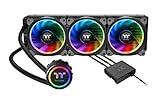
Thermaltake Floe Triple Riing RGB 360
A Large Liquid CPU Cooler with Performance that will Blow You Away, as Will the Price

If its size isn’t a problem, Thermaltake Floe Triple Riing RGB 360 can be a very helpful tool in restraining your CPU temps. With the help of the 360mm radiator that is equipped with three 120mm fans, with a rotational speed of 500-1400RPM and attractive RGB lighting, this cooler presents a great combination of performance (similar to the best 280mm radiator coolers) and a compelling appearance.
Thermaltake Floe Triple Riing RGB 360 is relatively easy to install, it is compatible with most Intel and AMD sockets and it comes with the TT RGB Plus software dedicated for the full control over its lighting and synchronization with other components.
Unluckily, its price tag makes it not really affordable, but on the other hand, if you want a premium performance, the lowest possible noise levels and a great appearance, that has its cost. Overall, if you have a large enough case, demand for a great performance and enough money to buy it, go for it – you won’t be disappointed.
- Silent
- Quality cooling
- RGB lighting
- Very large
- Expensive
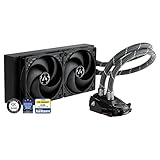
ARCTIC Liquid Freezer II 240
An Excellent Combination of Cooling Performance and Price

ARCTIC Liquid Freezer II 240 is a reasonably priced 240mm liquid CPU cooler that offers very good cooling capabilities and silent performance in one. Other than the 2×120 mm configuration, it is also available in a single 120mm version, 2x140mm, as well as 3x120mm and 3x140mm configuration.
ARCTIC Liquid Freezer II liquid cooler is fitted with a 40 mm VRM fan that is PWM controlled and that supports speeds from 200 to 1800 pm. This cooler supports Intel’s 115x, 2011, and 2066 socket, as well as the AMD AM4 one. It weighs 1191 grams and brings a nifty design.
Moreover, this cooler comes with a six-year warranty, quiet performance, and altogether does fine cooling work, as it should be the case with one of the best liquid CPU coolers out there.
- Six-year warranty
- Reasonably priced
- Dedicated VRM fan
- Good price
- Quiet
- Tricky to install
CoolerMaster MasterLiquid ML240L RGB V2
A Solid, Well-Balanced Liquid Cooling System

If you are after a good-quality liquid CPU cooler that will give you a good mixture of price, RGB lighting, and thermal performance, CoolerMaster MasterLiquid ML240L RGB V2 is the device for you.
However, have in mind that this product won’t blow you away in any category. It is good and it will satisfy a large base of users, but don’t expect miracles, or it will deliver the same level of thermal performance as the twice more expensive cooling systems, such as, Kraken X63for example because it won’t.
Nevertheless, it will offer low noise levels (between 8 and 27dBA), two lighting zones, and an included RGB controller, as well as good compatibility that allows for its easy pairing with all more mainstream-oriented sockets.
CoolerMaster MasterLiquid ML240L RGB V2 is fitted with two new SickleFlow 120mm RGB fans, with a life expectancy of 160,000 hours; it has a two-year warranty and overall presents a fairly balanced cooling system, which rightfully positions itself among the best liquid cooling systems in the mainstream range.
- It comes in a package with the included wired RGB controller
- Two lighting zones
- Low noise levels
- A solid build quality
- Affordable
- Easy to use
- Not the best thermal performance
Corsair iCUE H60i RGB PRO XT
Small, yet Efficient CPU Cooler

Corsair iCUE H60i RGB PRO XT is a solid-liquid cooling system that comes at a reasonable price, and more importantly, with a very good cooling performance. Its compact size makes it a good option for smaller builds, while its cooling capabilities make it an ideal choice for mainstream rigs, and CPUs such as i3 and i5 processors, as well as the Ryzen 3 chips.
Corsair iCUE H60i RGB PRO XT is fitted with a 120mm radiator, and a same-size 120mm CORSAIR ML Series magnetic levitation, PWM-controlled fan that offers speeds between 400 and 2400rpm. This cooler is equipped with 16 addressable RGB LEDs that can be fully controlled and customized through the iCUE software that also offers options for managing fan and pump speeds and generally presents an excellent controlling software.
Corsair iCUE H60i RGB PRO XT comes with a five-year warranty and offers excellent compatibility that allows its use with LGA115x sockets, LGA 2011, 1200, as well as AMD AM4, AM3, FM2+, FM2, and many others. Moreover, this cooler produces noise between 10-36dBA; however, it also supports Zero RPM cooling, which stops the fans at low temperatures, making a no-sound performance.
All in all, Corsair iCUE H60i RGB PRO XT isn’t a cooler built for high-end gaming rigs, but a more affordable system and it does that job flawlessly. Therefore, if you are after the best affordable liquid CPU cooler, this one is certainly the one to look for.
- Compact
- Five-year warranty
- Great compatibility
- CORSAIR iCUE software
- Zero RPM cooling profile
- Easy mounting
- It isn’t made for high-end gaming machines


Will the EVGA CLC having the socket for an 1151 fit on the new 8th gens that are 1151 (300) socket?
Yes, it will fit. You can also try to assemble the PC at pcpartpicker.com just to double check if all your components fit.
Ok. I used the partspicker site and I selected the corsair h100j v2 and MSI MEG ACE 1356 board. The site says it fits but according to Corsair’s tech support, they do not support any 1356 board for any of their products. I cannot find any type of system like the Corsair’s h100i v2. Do you know of any actually tested liquid cooler for 1356 Intel boards?
Hi,
If it fits 1366, it should fit 1356. At least based on this thread https://linustechtips.com/main/topic/774584-lga13561366-cooler-help/.
Still, we personally didn’t test this so it’s always better to double check with the manufacturer.