


So, here it is – the moment when you need to buy a new PC case. At first sight, it seems to be nothing special or difficult at all. But if you do have such thought it means that you are either a real pro or a complete tyro.
Anyway, looking for a new computer case as well as anything else we want it to be first-grade, good-looking and at the same time affordable. But if the question of design and price is quite clear and simple, the quality issue is much more complicated.
Buying a new PC case we should be aware of all its technical details and know necessary terminology not to look like a fool while listening to the sales assistant’s speech or reading the goods description on the net. In order to help you make a right decision and select the cream of the crop, we prepared the ultimate list of the best PC cases currently available and a handy buying guide (below the list of PC cases) which will guide you through everything you need to know about PC cases on today’s market.
Best Super-Tower Cases

Last update on 2026-07-08 // The links above are affiliate // Images from Amazon
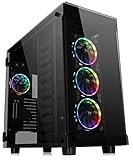
CORSAIR OBSIDIAN 1000D
A PC Case that Proves that Size Really Does Matter

CORSAIR OBSIDIAN 1000D is a very elegant, but large PC case designed for people who need a two-computer device in one or are just fans of spacious cases and good air flow. Thanks to its construction, this case supports up to two motherboards (up to an E-ATX and a mini-ITX), two PSUs and offers a separate front panel for each of the two boards with their own Power and Reset buttons, along with USB connectors.
CORSAIR OBSIDIAN 1000D is built out of aluminum, with a tempered glass front and side panels and it supports various cooling and storage options. There is enough space for four massive radiators, up to eighteen fans (eight in front), along with five 3.5” and six 2.5” drive bays, which is enough even for the most demanding users.
Unfortunately, although OBSIDIAN 1000D is an exceptional product, its price tag is just too high when compared to the majority of other cases. For that reason, unless you are in a demand for a two-motherboard case, better skip this one and choose one that is more fit to your budget.
- Space for two motherboards
- Not that great cable management
- Expensive
Thermaltake View 91 RGB PLUS
A PC Case Built for the High Demanding Users

For people searching for a high-end workstation case that is sleek-looking, spacious and offers quality cooling at the same time, there is no better choice than the Thermaltake View 91 RGB PLUS. Yes, it is a bit expensive, but on the bright side, it gives a lot for that price.
There is space for up to 12 drives (either 2.5” or 3.5”), 20 120mm fans or 18 140mm/eight 200mm ones (it comes already equipped with four 140mm Riing PLUS RGB fans), enough room for up to four radiators from 280 to 480mm in size and utterly amazing, enough room for a 600mm long graphics card.
With Thermaltake View 91 RGB PLUS you just get it all: a unique design, great storage, and cooling capacity that almost has no match among the other products. What’s even better is that, other than the aforementioned high price and a rather heavy weight of 30kg, there are no other drawbacks. In other words, with this one, you can’t go wrong.
- Plenty of space for fans and radiators
- Quality build
- Tool-less design
- Price
Best Full-Tower Cases
No products found.
Lian Li O11DXL-X O11 Dynamic
An Actual PC Case Perfection

Lian Li O11DXL-X O11 Dynamic is a full-tower PC case that presents one of the best PC cases ever built. It has great versatility, it offers plenty of space and most importantly, it does an exquisite job.
Everything that you might need is there: beautiful outside made out of tempered glass (front and side panel) and brushed aluminum, and enhanced with addressable RGB strip, plenty storage capacity (six 2.5” trays and four 3.5” trays, with hot-swap function) and of course, great cooling capabilities. Lian Li O11DXL-X O11 Dynamic can hold up to three 360mm radiators and 10 120mm fans, which is more than enough even for the most demanding gaming and overclocking enthusiasts.
When talking about other great aspects, it should be mentioned that this case can cope with graphics cards that are up to 446mm in length and that it provides eight expansion slots. In other words, whatever type of graphics you choose, this piece of hardware can deal with it.
Moreover, this case offers solid cable management, as well as a great build quality that will certainly surprise many of you, since this is a relatively unknown brand.
The front panel of this case also brings numerous pleasant features and other than the regular, power on/off, and reset buttons, it also provides four USB3.0 ports, Type-C connection, HD audio connection, and RGB control button, which altogether makes this case one hell of a deal.
All in all, if you are looking for sheer quality and are not afraid of the new Chinese brands, Lian Li O11DXL-X O11 Dynamic is definitely a great choice.
- Excellent build quality
- Spacious
- Good cable management
- Eight expansion slots
- Great versatility
- Excellent capacity
- Very good airflow
- None
Cooler Master Cosmos C700P
Great Versatility in a Large and Heavy Edition

Cooler Master Cosmos C700P is a reasonably priced, feature-rich, full-tower case that brings plenty of space, and more importantly, great versatility. Therefore, if you are seeking a perfect, large-sized case for your PC configuration, this one certainly comes as a great option.
To clarify, this chassis offers a good storage capacity and features four 2.5”/3.5” combo bays, four 2.5” bays, as well as one 5.25” bay. Also, it offers multiple cooling combinations and can handle up to nine 120mm/140mm fans, if you are into the air cooling, or one 420mm radiator, two 240mm/280mm/360mm radiators, or three 120mm/140mm radiators, depending on your needs.
Cooler Master Cosmos C700P is a heavy device – it weighs 22.2 Kg. More importantly, it can handle GPUs with a length of up to 490mm, CPU coolers that are up to 198mm in size, as well as accept all sizes of PSUs.
In addition, this case offers eight expansion slots and has very good onboard connectivity, and comes with four USB3.0 ports, and a single USB3.1 Type C port, on the top of the case. Equally importantly, this case also comes with an extra rear panel and features a curved tempered glass side panel. In other words, versatility and attractiveness are there.
To sum up, Cooler Master Cosmos C700P is a very nice successor to Cooler Master Cosmos C700M and presents a huge leap. It offers a lot of space, good cooling capabilities, and excellent functionality thatmakes it one of the best PC cases available, without a doubt.
- Modular interior
- Dual curved glass side panel
- Very good build quality
- Easy to use
- Built-in RGB lighting
- Type C port on the top of the chassis
- Four USB 3.0 ports
- Very good liquid cooling support
- Built-in fan controller
- It comes with three 140mm fans
- Heavy
- Limited fan controller functionality
- Not that practical card changing
Thermaltake View 71
Another Highly Versatile Full-Tower PC Case

Thermaltake View 71 is another well-made PC case that combines spacious interior with great looks, offering excellent value to the user. This chassis comes with a four-sided 5mm tempered glass panel that brings attractive looks and offers numerous expansion capabilities.
To be exact, there are four 2.5”/3.5” combo bays, as well as six 2.5” bays and three 3.5” bays. Moreover, this case supports multiple cooling configurations and can hold up to six 140mm fans, or up to nine 120mm fans, or up to three 360mm/420mm radiators, if you are more into water cooling.
In addition, this chassis features eight plus two expansion slots, and supports both vertical GPU mounting and vertical radiator mounting, offering excellent versatility. On its top, there are two USB2.0 ports and two USB3.0 ports, while the case itself comes with three attractive-looking, pre-installed 140-millimeter 5V MB Sync ARGB fans. Inside of it, there is also a built-in dual-mode 5V ARGB switchboard that offers 27 different LED modes and supports seven different RGB colorings.
Equally importantly, its RGB lighting is fully compatible with a variety of dedicated RGB software solutions, such as Aura Sync, Gigabyte RGB FUSION, MSI Mystic Light Sync, and many others.
In short, this PC case is exactly what the best PC case should be, offering great practicality and versatility, suitable for any type of user.
- It comes with three 140 millimeter 5V MB Sync ARGB fans preinstalled
- Built-in dual-mode 5V ARGB switchboard
- Easy to use
- 27 Light Modes
- Four-sided tempered glass panel
- NO PCI-e extension cable in the package
- No PSU cover
Phanteks Enthoo Pro 2
A Ton of Features in an XXL Package

If you are looking for a colossal PC case that supports dual system installation and offers a ton of cooling and storage options, the Phanteks Enthoo Pro 2 case is the thing for you. However, have in mind that this is a large build and better be sure that you truly need it. We say this simply because its 14 kg of weight and 580 x 240 x 560 mm dimensions aren’t for everyone.
On the other hand, its ability to accept up to 12 3.5” drives (four brackets included) and 11 2.5” ones, along with space for up to 15 120mm fans (eight 140mm ones), is somewhat impressive. In addition, this case also supports dual 480mm and dual 360mm radiators and brings both dual GPU and dual PSU support. Therefore, if dual systems are your thing, Phanteks Enthoo Pro 2 comes as one of the best full-tower cases out there.
However, this PC case’s great characteristics don’t end there, yet they include integrated digital-RGB controller, very good cable management, and eight expansion slots, along with six vertical slots (three for each system). Moreover, this case comes with four USB 3.0 ports, one USB-C port, and a 3.5 mm Audio/Mic Combo, on the front of the case, bringing great usability and practicality to the user.
All in all, if you are after an excellent full-tower case, built for dual systems and high capacity workstations, this case is definitely for you.
- Dual system support
- Spacious
- A huge number of available bays
- Affordable
- Great thermal performance
- Five-year warranty
- Very good cable management
- Very quiet
- It comes without fans included
- It feels cheap
Cougar Panzer EVO RGB
A PC Case with a Great Value for Money

There are not that many cases that are as satisfying on many different levels as Cougar Panzer EVO RGB is. With a distinctive, assertive design followed by great thermal performance and numerous expanding options and features, this case brings everything that the die-hard gamers or computer enthusiasts might need.
Built to last, covered with four tempered glass panels and equipped with four 120mm Vortex LED RGB fans that can be reinforced with additional four, and plenty of space for the most demanding air and liquid cooling systems, Cougar Panzer EVO RGB delivers a great thermal performance in a wonderful RGB LED package that can be further improved with the installment of a Cougar RGB controller and additional four LED strips.
With space for four SSDs and two 2.5”/3.5” HDDs, which is normal for its class, and thanks to the good connectivity options that include the USB3.1 Gen 2 Type-C connector, what Cougar Panzer EVO RGB definitely well-settled and presents one of the best deals for a PC case on the market right now.
- Excellent thermal performance
- Quality build
- Great RGB lighting
- Not true E-ATX
Best Mid-Tower Cases


Last update on 2026-07-08 // The links above are affiliate // Images from Amazon
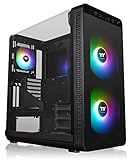
NZXT H510
Universality at its Best

NZXT H510 is a compact and affordable mid-tower case with great versatility and usability that makes it suitable for both experienced builders and newbies.
This case doesn’t bring anything spectacular; still, it is has everything that the majority of users might need, such as good cooling performance, quiet operations, and of course, stylish looks.
NZXT H510 basically presents the upgraded H500 case; therefore, it offers a lot of similarities with its predecessor, such as seven-card slots (plus two vertical), support for up to three 140mm fans or up to four 120mm fans, liquid cooling capability (it can hold one 280mm radiator in the front and one 120mm radiator in the back), tempered-glass side panel, and so on.
On the other hand, what is different is the USB Type-C connection that is missing on the older version and is included in the H510 model, where it is paired with one USB3.1 port, audio connection, as well as reset and power on/off button, on the chassis top panel.
NZXT H510 comes with a two-year warranty and offers solid storage capabilities (two plus one 3.5” trays and two plus one 2.5” trays). Also, it comes fitted with two pre-installed Aer F120mm fans and is capable of holding graphics cards that are up to 381mm in length (or 325mm when the front liquid cooling is installed).
Overall, H510 provides very quiet operations, it is very well built, and altogether, it delivers very good value for the money, as it is expected from the best mid-tower case.
- Compact
- Stylish
- Good cooling performance
- Quiet
- Liquid cooling support
- Affordable
- Not so great front panel connectivity
NZXT H710i
One of the Best PC Chasses Available

If you are a more demanding PC enthusiast or a gamer, with a need for a lot of storage and expansion capabilities, NZXT H710i is a case for you.
It is spacious, built out of steel, with a tempered glass side panel and discrete RGB strip – premium looks and durability in one. There is a lot of storage space (two plus two 3.5” drive bays and seven 2.5” drive bays), seven card slots and even a place for a vertical GPU mount.
NZXT H710i comes with four pre-installed AER fans (three 120mm in front and a single 140 in the rear) that are fully controllable over the CAM software and offers enough space for additional three 120mm or two 140mm fans at the top of the case. Also, there are plenty of options for liquid cooling and the possibility for the installation of numerous radiators with a size of up to 360mm.
NZXT H710i comes with a two-year warranty, offers easy installation, very quiet performance, and most importantly, provides a solid air-flow that guaranties for good heat management of every configuration.
All in all, if you want the best-looking PC case that will provide quality performance at the same time, this ATX Mid Tower chassis should be your primary option.
- Sleek design
- Spacious
- Good air-flow
- Very silent
- Problematic CAM software
Cooler Master MasterCase H500

For anyone looking for a touch of a high-end PC case, but at an affordable price, Cooler Master MasterCase H500 comes as a great choice. You will get not only the premium looks but also a great set of features that would satisfy even the most demanding users.
A quality built, with swappable front panel, decent storage capabilities (two 2.5”/3.5” drive bays and two 2.5” SSD drive bays) and great cooling options with support for four-six fans, depending on their size (from 120mm till 200mm) and positioning, and up to three radiators (from 120mm till 360mm in size depending on the location) – Cooler Master MasterCase H500 comes as one of the best affordable PC case options on the market.
With full ATX support, tempered glass side and front panel, and coming already equipped with two 200mm RGB fans and an RGB controller, Cooler Master MasterCase H500 presents a full-package product that is just predestined for success. If you want a case with a bit of exclusivity for a great price, this is the one to purchase.
- Appearance
- Good price
- Not that accessible controller
Fractal Design Meshify C
A Discrete, but Highly Efficient Mid-Tower Chassis

If you are not a fan of flashy, RGB-rich PC cases and are looking for something more discrete, but powerful, Fractal Design Meshify C is the device for you.
This chassis supports up to four 140mm fans, or seven 120mm fans (two preinstalled Dynamic X2 GP-12 120 mm fans are included in the package), and it is able to hold up to two radiators – one 360mm, or 280mm in front and one 240mm radiator on the top of the chassis. It also features multiple fan filters, good cable management, and much more.
More importantly, Fractal Design Meshify C provides very good performance and offers excellent build quality that positions it neck and neck with the competition and some of the best mid-tower cases out there. Also, due to its seven card slots, Meshify C offers very good expansion capabilities that, along with its solid storage capacity (three 2.5” and two 3.5” (can be used for 2.5” drives, as well) trays) make this case a highly versatile one and overall a fairly desirable option, of course, if RGB lighting isn’t a mandatory option for you.
- Very good performance
- Excellent radiator support
- Multiple fan filters
- Spacious
- Excellent build quality
- Good cable management
- Not that user-friendly build
- Basic I/O connectivity
- No RGB
Corsair iCUE 5000X RGB
Excellent Looks and Great Cooling Capabilities in One

Corsair iCUE 5000X RGB is a spacious and feature-rich mid-tower case that offers great versatility and a large number of possible configurations. With this case, you are getting enough space to place up to two 360mm radiators (one on the top and one on the front), if you are into water cooling, and up to 10 120mm fans, or four 140mm fans, if air-cooling is your preferred choice.
You should know that Corsair iCUE 5000X RGB brings excellent airflow; therefore, whatever cooling principle you chose, you will be more than happy. From the esthetical point of view, this case is a masterpiece, and it features tool-free, tempered glass panels on top, front, and sides and comes with three 120mm CORSAIR SP RGB ELITE fans (each with eight individually addressable RGB LEDs) that give it a special touch.
Inside of it, there are four 2.5” bays and two 3.5” bays, as well as a hidden, 25mm cable management channel, for better cable organization. Moreover, its inside is also spacious enough for GPUs up to 381mm in length, and tall enough to allow for vertical GPU mounting.
In addition, on its inside, you can also find the iCUE Lighting Node CORE controller that brings excellent RGB performance and can be easily controlled over the CORSAIR iCUE software. In short, there is everything you need for a good gaming configuration.
For that reason, if an attractive, good air-flow performing mid-tower is your primary goal, Corsair iCUE 5000X RGB is the case for you.
- Three Corsair RGB fans included in the package
- Stylish looks
- Very good airflow
- USB Type-C connection on the top
- Spacious
- A bit pricey
- Not the most accessible build
Thermaltake View 37 ARGB
A Well-Priced PC Case with a Bit of Special Touch

Buying a unique product is very hard since the competition is constantly copying each other and for that reason, it is very hard for a buyer to feel special with any purchase. Luckily, Thermaltake View 37 ARGB allows for a bit of that special feeling.
Thanks to its elegant design that integrates a solid metal case with a transparent curved top-side panel, this chassis has managed to bring a new insight and a completely new perspective of its inside. Great looks are also followed by a good storage capacity (three 3.5’’/2.5’’ drive bays that can be expanded to four 3.5” or eight 2.5” ones with the help of brackets), quality cable management and numerous cooling options (support to up to eight fans and three different-sized radiators) that just add to its predominantly great value.
Unfortunately, its unique looks come at a price: lack of quality access to its top, which can drastically reduce its cooling potential, for instance. Consequently, although it is well-priced, Thermaltake View 37 ARGB isn’t for everybody, but is meant for those looking for simplicity above everything else.
- Good airflow
- Great cooling support
- No PSU shroud
Phanteks Eclipse P360A
An Affordable, RGB-Rich Mid-Tower Case

Phanteks Eclipse P360A is a functional mid-tower case that won’t impress you with its materials and build quality; however, it will with its solid thermal performance and a nice list of features. This is a budget-friendly piece of equipment, with a full metal front panel and 1mm perforations, incorporated for both dust filtration and better airflow performance.
To make things even better, this case also features a built-in RGB, software-free, controller and an integrated LED strip. Moreover, there is also a tempered glass panel and plenty of space for cooling solutions.
To be exact, there is enough space for 240/280mm radiators, or two 120/140mm fans, on the front, and a 240mm radiator, or two 120mm fans, on top. Also, there is space for a 120mm radiator or fan on the rear end, as well as enough space for full-sized GPUs, up to 400mm in length.
Phanteks Eclipse P360A features two 3.5” bays and two 2.5” bays and has seven expansion slots. In addition, it comes with a built-in Power button, D-RGB buttons, and Mode buttons on the front, as well as two USB3.0 ports, a Microphone and Headphone jack, next to them. In other words, everything needed for the best budget-friendly mid-tower case is there.
Therefore, if you are after an affordable, yet efficient case, Phanteks Eclipse P360A is a great choice.
- A high amount of RGB
- D-RGB controller
- Great thermal performance
- Affordable
- Not the best intake filtration
- Its build materials seem cheap
Antec Performance Series P82 Flow
A Clean Looking, Feature-Rich Mid-Tower Case

If you are seeking an affordable, yet feature-packed PC case that offers a compact build, and a solid level of versatility, Antec Performance Series P82 Flow is the case for you. Of course, have in mind that this isn’t the most spacious piece of equipment and that you will have certain limitations in the cooling and storage department.
More precisely, there is enough space for up to two 3.5” and two 2.5” bays, as well as one 360mm radiator in the front, one 240 mm radiator on the top, and one 140 mm radiator in the rear end. If you more prefer air cooling, you will be happy to know that four 140mm white-blade fans are included in the package, while the fan capacity allows installation of up to eight 120mm fans, or seven 140mm fans, all around the case.
In addition, this case has seven expansion slots and is capable of handling GPUs that are up to 380mm in length, as well as PSUs that are up to 220mm in length. Moreover, this case offers a simple, clean look and features two USB3.0 ports on the side, as well as one microphone and one headphone jack, also on the side.
In conclusion, it offers everything you may need from the best PC case out there.
- Reasonable price
- Good construction
- Compact
- Four 140mm fans included in the package
- Easily removable mesh
- Clean design
- Limited liquid cooling capabilities
- Not the best cable management
- Not the best 3.5” bay design
Best Mini-Tower Cases


Last update on 2026-07-08 // The links above are affiliate // Images from Amazon
NZXT H210
A Solid-Performing, Highly Attractive Mini-ITX PC Case

NZXT H210 is a decent quality Mini-ITX PC, with good airflow and an affordable price. It offers a modern design, with clean lines and an appealing white/black color scheme that distinguishes it from the same class chasses.
Since this is a Mini-ITX, storage space and overall features are limited; however, they are still pretty good for this size and include three plus one 2.5” drive bays, one 3.5” drive bay and place for two expansion cards. NZXT H210 is fitted with two Aer F120mm fans (one in front and second in the rear end) and offers a space for two additional 140mm or 120mm fans at the top of the chassis. Liquid cooling is, however, limited either to 120mm radiators or one 240mm and one 120mm radiator, which isn’t much but is sufficient for the majority of builds.
When talking about connectivity, there is one USB3.1 port and one Type-C port, along with an audio jack at the top of the case. In other words: limited, but enough for most.
Altogether, one of the best affordable PC cases is in front of you.
- Good cable management
- Modern design
- Good versatility
- Build quality
- Solid air-flow
- Only one 3.5” drive bay
- Faulty CAM software
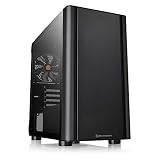
Thermaltake S100 Tempered Glass Snow Edition
Proof that Size Doesn’t Matter

Thermaltake S100 Tempered Glass Snow Edition is a compact, yet highly versatile mini-tower case that is suitable for both mainstream and high-end rigs.
This is a case that provides everything high-profile configurations might need, such as dust filters (magnetic filter on top), support for multiple fans (it supports up to five 140mm or 120mm fans, and comes along with a pre-built 120mm fan), and radiators (it supports one 280mm radiator in the front and one 280mm fan at the top), support for graphics cards up to 330mm in length, and much more.
Thermaltake S100 Tempered Glass Snow Edition case is fully metal-built; it comes along with a tempered glass side panel and offers decent top-front panel connectivity that includes one USB3.0 and two USB2.0 ports, as well as audio jacks.
Moreover, it is slim and stylish and provides very good cable management. In other words, it presents a really good all-around product, as it should be the case with the best mini-tower PC chassis.
- Slim
- Stylish
- Compact
- Very good cooling capability
- Fairly priced
- Good cable management
- Not the best quality control
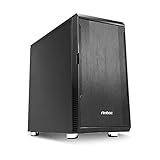
Antec Performance Series P5 Mini Tower Silent
Small and Compact, yet Highly Versatile

Things don’t always have to be large in order to provide great versatility and usability, and Antec Performance Series P5 Mini Tower Silent case is the proof of that.
P5 Mini is small and compact and can handle only micro-ATX and mini-ITX motherboards, but on the other hand, it offers so many other features, such as excellent noise isolation, due to the bitumen foam that surround the cases inside, as well as good storage capacity that includes one 5.25” bay, four 2.5” trays and two 3.5” trays, and allows you to place up to seven 2.5” drives into this rig.
Also, this chassis provides solid fan support and comes fitted with one 120mm fan and one 140mm fan (instead of it you can place two 120mm fans) that are preinstalled; it supports liquid cooling and installation of a 240mm radiator in the front and 120mm radiator in the back, as well as usage of graphics cards that are up to 360mm in length.
Antec Performance Series P5 Mini Tower Silent is fitted with four expansion slots; it has front and bottom dust filters and it comes with a modest two-year warranty.
All in all, it offers a very good balance of price, features, and performance. Therefore, it rightfully belongs among the best mini-tower cases out there and certainly presents a great opportunity if you are looking for an affordable, yet compact rig for your high-end machine.
- Silent
- Fairly priced
- Good storage capacity
- User-friendly design
- Clean design
- No RGB lighting
Thermaltake V150 Tempered Glass Micro-ATX
A Mini-Tower Case Ideal for Medium-Range PC Builds

Thermaltake V150 is a small, but versatile mini-tower PC case that shows its best sides when used for mainstream gaming rigs.
It is feature-rich, it offers solid storage capacity (two 2.5” trays and two 3.5” trays) and has four expansion slots, giving you a lot of options for configuration. When talking about its cooling capabilities, you should know that it supports up to four 120mm fans (one is included in the package) or three 140mm fans and that it can handle two radiators (280mm radiator on the front and 120mm radiator on the rear). In other words, more than solid capacities for a mainstream gaming rig.
Thermaltake V150 supports Mini ITX and Micro ATX motherboard; it is capable of holding graphics cards that are up to 350mm in length and it offers very good front panel connectivity that includes: audio jack, one USB3.0 port, and two USB2.0 ports. Moreover, it has a sturdy build and comes fitted with two tempered glass panels (left and front) that, when combined with the proper RGB lighting, really make a difference and transform this already attractive piece of hardware into a real masterpiece.
In other words, Thermaltake V150 is fitted with everything that it should have. Therefore, if an attractive mini-tower with a solid performance is what you’re looking for, you can be sure that V150 won’t disappoint you.
- Nice-looking
- Sturdy
- Very good cooling capability
- Compact
- Spacious
- Good cable management
- Not the best quality control
- Not the best airflow
As you can see the modern market is rich in various PC cases of different sizes and with different options. So here is the guide to help you make the right choice.
All you need to know about PC cases before buying
1. ATX & ITX – what’s the difference?
Don’t panic if these abbreviations mean nothing to you. ATX, aka Advanced Technology eXtended, denotes a motherboard configuration specification or, simply put, a motherboard design. The most commonly used are Standard and Micro ATX boards. Standard ATX boards are 12×9.6 inches. As to Micro ATX, such motherboards can have the maximum size of 9.6×9.6 inches.
Another type of motherboard is Mini ITX of 6.7×6.7-inch size. Such boards are usually used in small-configured computer systems. There is also Mini ATX, which is slightly smaller than Mini ITX – 5.9×5.9 inches. One of the smallest form factors would be Nano ITX (4.7×4.7 inches) and Pico ITX (3.9×2.8 inches).
On the whole, the size of any PC case is determined by the board size it can support – usually big cases have larger motherboards and vice versa. But keep in mind that any computer case which hosts a motherboard with a bigger size can also support boards of smaller sizes.
Consequently, before selecting a computer chassis make sure what motherboard you would like to have in and then check whether a chosen PC case corresponds to your needs. If you are working on a powerful gaming machine you can find more details about suitable motherboards here.
2. Common form factors of PC cases
Obviously, all PC cases have different size and shape. Thus, there are special terms which denote these characteristics. The first one is desktop case. Such computer case has a horizontal design and is widely used in business environments in order to save the space as it can be easily placed under the monitor.
The next one is SFF, i.e. Small-Form-Factor. Well, the term speaks for itself – cases which belong to this category are more compact than desktop cases but at the same time have almost the same options. SFF cases support motherboards which are smaller than Micro ATX (usually these are mini ITX boards). They can look like shoeboxes, cubes, and book-sized cases. Thanks to such compact construction SFF cases are very popular with gaming and home theatre computers.
Some other terms which you can face while looking for a PC case include mini-tower, mid-tower and full-tower cases. Mini-tower cases are under about 14-16 in high, what coincides with the size of desktop cases. They usually have only one or two external bays and support micro ATX boards.
Mid-towers are about 17-21 in high and have from two to four external bays. And if mini-towers can host only one GPU, this type of cases can support up to two. Recently there has also appeared a new term – midi-tower, which presupposes a case smaller than mid-tower but larger than mini-tower. Midi-towers are with two to three external bays. Still, this term is quite interchangeable with mid-tower.
As to the full-tower cases, they have a height from 22 to 27 in. Full-towers usually have from five to ten externally accessible drive bays and are supposed to stand on the floor. They support ATX, EATX or even XL-ATX motherboards. All towers which have more than 27 inches in height are called super or ultra towers.
We also can’t but mention MOD-tower. This is a case system which can be modified by putting new cases on its top in order, for example, to add more cooling capacity.
Nevertheless, we have to underline the fact that different manufacturers provide different definitions for their case forms. It’s all up to provider how to call its PC case models. Thus, always clarify the accurate size of computer case you want to purchase.
3. Drive bays
Driving bays can be of different size – 5.25-inch, 3.5-inch and 2.5-inch.The biggest one, i.e. of 5.25-inch format, is used with an optical drive. This can be either a DVD burner or a Blu-ray drive. Such bays are widely used for hosting of front-panel devices, e.g. temperature readouts or fan controllers. They can be also applied during the installation of additional panels for extra ports on PC front side. Such 5.25-inch bays are used in SFF or mini-tower cases.
The second type of drive bays is used for the installation of platter-style hard drives. Some of the tower cases have 3.5-inch bays. As to the 2.5-inch bays, they can be easily implemented even in the tiniest parts of the case thanks to their compact size.
4. Cutaway for CPU cooler
Obviously, your new PC case will host a cooler. Therefore, one of your tasks is to check how well a chosen computer case is adjusted for a CPU cooler you plan on buying. Note that most of the top-notch CPU coolers need a backing plate or other mounting hardware which is installed from the board underneath.
5. I/O shield
This part of PC is placed on the back of computer case. It has special cutouts for different ports of the board and serves as a protection of the motherboard while inserting cables to the pre-cited ports.
But bear in mind, that I/O shield comes together with a motherboard but not a case itself. Consequently, I/O shields aren’t interchangeable between different boards but they can be used for different PC cases because they have almost the same standard dimensions – 1.75×6.5 inches.
6. Motherboard tray and standoffs
First of all, let’s clarify what motherboard tray is. In fact, it’s just a place where a board is located. A motherboard tray is placed at the bottom of a computer case and has special holes for the motherboard standoffs. By the by, if earlier most of the trays were removable nowadays it’s quite an uncommon thing.
As to motherboard standoffs, these are small brass-looking spacers that you can find between a board and a case. Standoffs are screwed into the PC case and have a motherboard fixed to them. Note that they help to prevent an electrical short as they raise the board above the case and as a result, the soldered parts don’t contact it.
You can usually find these brass bits in a small bag which comes together with a PC case. Their installation is not complicated because there are special marks near the holes in the tray, which will help you to find a necessary hole for this or that standoff.
7. What is PSU?
PSU (Power Supply Unit) serves to traffic electricity to such computer components as motherboard, drives and fans. PSU looks like a big box and it’s typically placed either at the top or at the bottom of PC case. It is mounted by means of screws through the backside of the computer case with a special big-sized cutaway, which also plays a part in the ventilation process.
Today most of the tower cases support ATX (i.e. full-sized) power supplies. Those PC chassis which belong to the category of compact SFF cases have PSU of SFX form factor, in other words, those of a smaller size.
PSU is one of the most important things for building powerful computers. But if you belong to the category of avid gamers then this element should be number one on your list as your PC will need more power than an average one. Here are some of the best power supply units for gaming.
8. Fan mounts
Fan mounts are surfaces inside a computer case, which are used for the installation of additional ventilation in your PC. They can be of different size – 80 mm, 92 mm, 120 mm, 140 mm and 200 mm. Still, 120-mm and 140-mm fan mounts are the most popular.
Some of PC cases have also got removable air filters, which cover the front face of the fan mounts. Such a filter would be a great additional supplement to your PC case as it reduces the amount of dust inside a computer chassis.
9. GPU clearance
This term denotes a space your GPU (Graphics Processing Unit) needs to fit in your PC case. As many modern PC cases have removable parts GPU clearance can vary. For example, if hard drive trays in your computer case can be removed it means that the space required for a video card can be also extended.
Usually, if a GPU clearance has more than 12 inches then it will be able to support almost any video card. Still, be especially attentive with very long cards. The point is that their power connectors, which extend from the trailing edge, can require some extra space in your PC case.
10. Drive sleds and drive stealthing
Drive sleds are usually made of metal or plastic and look like frames which slide in/out of a drive bay. They are used mostly with 3.5-inch bays but can also cooperate with bays of 2.5-inch size. Some PC cases have drive sleds which allow the drive to contact a backplane system with SATA data and built-in power connectors. In this case, the drives are hot-swappable.
Some of today’s computer cases have also got drive stealthing which presupposes an optical drive hidden behind a door or panel in order to bring a smooth look to the PC-case front side.
Drive stealthing can be achieved in different ways. It can be done by means of drive-bay cover with a flip-down door, which allows the drive tray to pop out. The other option is more popular with PC cases of premium class. In such cases, there is a special slot for the optical drive where you just put a disc. This is achieved via a slot-loading and trayless optical drive mechanism.
11. Types of optical drive
Some high-grade PC cases can also require special types of optical drive – slim optical drive or slot-load optical drive. A slim optical drive is much smaller and more fragile than a typical 5.25-inch bay device. This optical drive is mostly used in laptops with SFF form factor. Slot-load optical drive is used in PC cases with drive stealthing, so it goes with a tray for a slot-feed mechanism.
12. PC case ports
Ports which are a part of computer case are usually called Front I/O. They can be placed on the front face, on the top front of PC case or down one of its sides. These ports can include headphone and mic jacks, USB 3.0 and 2.0 ports.
Your task is to make sure that your PC motherboard has all matching headers for ports of a new computer case. If it doesn’t then you’ll need to buy adapters or expansion cards in order to involve ports into the working process.
By the by, speaking of the headphone and microphone jack it should be mentioned that older and newer PC case models can have different connectors. Most of the computer chassis have a cable with a 10-pin header connector, which can be plugged into a pin-grid on the motherboard. It is also called “HD Audio” header. The older versions of PC cases usually have a forked cable provided with connectors for HD Audio and AC ’97 headers.
Some of the computer cases can also have two or four ports on the back of the case, which enable you to install water-cooling hardware inside the chassis. These ports stand usually in a line with silicone rim or a rubber. Such ports are called hose passthroughs.
13. Expansion slots
One more characteristic you should be aware of is the number of expansion slots supported by the PC case. Expansion slots are special spaces which can be found in the back of the case and are often covered by the metal strips, which can be removed. The number of such slots in the PC case can vary. But usually when the form factor of a case matches the size of the motherboard then you won’t have any troubles.
14. Thumbscrews and cables
Thumbscrews are used in order to keep together side panels of PC case and its inner hardware. The point is that thumbscrews may not require any screwdriver to add or remove different parts of a computer case. Still, very often it may not work and you’ll need to take a screwdriver for such changes.
Cable management denotes the number of special features a PC case possesses, which help to improve the airflow and make the interior look cleaner. It includes the number of cutaways, some extra space behind the board tray, quality of cable cutouts (whether they are lined with soft material in order to minimize the wire chafing or not) etc.
That’s it. Now you have enough knowledge to pick the PC case of your dreams.

