


If you’re a gamer, your keyboard is the hub of your gaming activities. Almost everything you need to do in a PC game requires the use of a keyboard, whether you’re moving your character through the battlefield in an FPS game or choosing which spells to cast in an MMO. Without a gaming keyboard, you’d be virtually stranded. That’s why it’s essential that you take some time to find the best keyboard for your needs, personal taste, gaming style and budget.
Top Picks

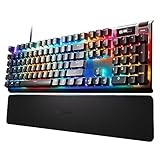



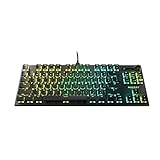


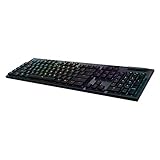


Last update on 2026-07-08 // The links above are affiliate // Images from Amazon
When attempting to choose the best keyboard for gaming, ask yourself the following questions:
- What is your play style? How much desk space do you have?
- Do you prefer keys with lots of tactical response or would you rather use keys that only require a soft press?
- Are you interested in LED lighting and customization options?
- What kind of gamer are you? Do you want to be able to have plenty of macros for a smoother gaming experience or are you more focused on keeping your gaming peripherals as simple and clean as possible?
No matter what your answers may be, you should start your search for the best gaming keyboard by taking some time to understand keyboard specifications, features and functions.
Things to Consider When Choosing The Best Gaming Keyboard
Membrane vs Mechanical Keyboards
In general, membrane and mechanical keyboards have many similarities and the same general features. But in membrane keyboard keys are all connected with pressure pads, while mechanical keyboard keys are made up of individual switches underneath each key. Here are a few things to consider if you’re not sure which one to buy:
Pros of a Membrane Keyboard over a Mechanical Keyboard
- Membrane keyboards usually have a simple, “one size fits all” function and design. Anyone can use a membrane keyboard for basic computing.
- Membrane keyboards are often much cheaper than mechanical keyboards, so they’re a good option if you’re looking for the best budget gaming keyboard you can find. You can even get a membrane keyboard with LED lighting and it may still be cheaper than many mechanical keyboard options.
- Membrane keyboards are usually much quieter than mechanical keyboards (although you can find quieter switch types available for mechanical keyboards). This makes membrane keyboards a popular choice for office work.
- Membrane keyboards have a very soft feel that some people may prefer.
Pros of a Mechanical Keyboard over a Membrane Keyboard
- Mechanical keyboards come with a wide range of options for tactile feedback, audible noise and resistance. Membrane keyboards, however, have very minimal feedback options (most have a “squishy” feel that usually isn’t ideal for gaming).
- Mechanical keyboards can be customizable. You can swap out individual keys for a different set if you want or need to change your key switch types. You can also add personalized keycaps.
- Mechanical keyboards are usually more durable and many are constructed with metal backplates. Although there are some exceptions, membrane keyboards generally wear out much faster than mechanical keyboards.
- Mechanical keyboard users will generally experience less fatigue than membrane keyboard users because mechanical keyboards do not require the user to press all the way down.
- Mechanical keyboards can improve overall commuting experience for gamers based on their range of options for personalization and customization.
Wired vs Wireless
While many keyboards come with an attached wire, there are also several wireless options. Wireless options are beneficial for people who need to move around a lot or game from a chair, couch or the floor. Having a wireless keyboard also means you have fewer cables to clutter up your gaming area. If you’re searching for the best wireless gaming keyboard, always consider connectivity. For example, with Bluetooth wireless keyboards, you can free up USB space.
Wireless keyboards can be convenient and lightweight, but they also have some cons. Wireless gaming keyboards require batteries, and heavy gaming sessions can drain batteries extremely quickly. Wireless keyboards also usually require you to download software and programming to make the keyboard functional.
Many wireless keyboards don’t come with number pads and are usually very small; this means they also lack extra features such as dedicated macro keys that many gamers rely on. Overall, wired keyboards are usually much more functional and reliable. You don’t have to worry about charging it or having connectivity problems. As always, personal preference is a major factor depending on whether or not you want a wireless keyboard or mechanical gaming keyboard.
Key Switch Types
There are three types of switch behaviors:
Linear. This is when the key is just a simple press with force. When it hits the bottom, it quickly comes straight back up due to the spring inside of the switch. There is no extra sound or feedback to let you know when it actuates. Actuation refers to when the key activates and sends the key press to the computer to register it on screen. Linear keys are preferred by gamers because of the ability to press the key rapidly.
Click. This is one of the most commonly known mechanical switch types. Click keys have a loud audible click when actuated and also give a small tactile bump. These are generally preferred by typists because you can hear an audible click noise whenever you’ve successfully entered a key; this can increase typing efficiency.
Tactile. These keys are quieter than the traditional mechanical keyboards and offer a tactile bump when the actuation point is reached. These are the most popular mechanical switch types for offices as they are less noisy but still alert the user when the key actuates.
What are Cherry Mechanical Switches?
The most popular brand of mechanical switches is Cherry. They offer a very wide range of keyboard products and are often considered the best in the market. All major keyboard manufacturers have at least one keyboard with the Cherry MX switches inside them.
The most commonly used Cherry MX switches include:
- Blue: Click Tactile. 50g actuation force. One of the loudest switches.
- Red: Linear. 45g actuation force. Most popular amongst gaming keyboards due to low actuation and linear style. Also, there’s Silent Red version which is the same but quieter.
- Black: Linear. 60g actuation force. Requires more force than Reds so may cause more finger strain in prolonged sessions of typing or gaming. Resets quicker due to stronger spring. Also, a Silent Black version is available.
- Brown: Tactile. 45g actuation force. Like the Blue but without the click noise and softer press required to reach the actuation point. Similar to rubber domes and membrane keys. Great for beginner mech keyboard purchases. Good for typists and office users.
- Green: Click Tactile. 70g actuation force. Identical to Blue but require much more force to press down. As with Black, may cause finger strain with prolonged use.
- Clear. Tactile. 65g actuation force. Similar to Browns but require more force and the bump is considered to be more noticeable.
- Silver (Speed): Linear. 45g actuation force. Has a lower actuation point than all Cherry switches at 1.2mm. Most preferred by professional gamers who need rapid key presses to remain competitive. Not ideal for typists as mistakes can easily be made.
Other Popular Switches
You may notice when looking at some cheaper mechanical keyboards that they state their switches are “Cherry equivalent”, which means they are copies of Cherry switches and not genuine. Two popular brands of keyboards, Razer and Logitech, are branching out into their own switches or commissioning other companies to make switches solely for them.
Razer has their own brand of switches. Their primary types are similar to Cherry.
- Razer Green: Click Tactile. 50g actuation force. Similar to Cherry MX Blue.
- Razer Orange: Tactile. 45g actuation force. Similar to Cherry MX Brown.
- Razer Yellow: Linear. 45g actuation force. Quiet and quick to press in. Similar to Cherry MX Silver/Speed. Same actuation point.
Logitech have employed Omron to create a set of mechanical keys for their keyboards called Romer-G. These keys have a higher actuation point of 1.5mm so they do not need to be pressed as far as normal Cherry MX keys, which require 2mm (with the exception of Silver/Speed). Romer-G keys have an actuation force of 45g. Many users compare them to Cherry MX Brown.
Cherry, Razer or Logitech – which has the best keys? There is a different durability for each. The highest durability rating is the Razer switches at 80 million presses. Romer-G is at 70 million and Cherry MX switches are the lowest at 50 million.
Key Switches and O Rings
Some people use little rubber circles called O rings to put inside the keycaps to minimize the distance the key can be pressed until it hits the bottom. These are frequently used on Cherry MX Blues. Applying an O-ring can help manage noise as well as reduce the time for the key to reset to its natural position.
Finding the Right Keys for You
There are key testers available as cheap as $10 that include all the different key types on one switch. You can purchase one of these and test all the keys yourself to find out what you like the best. This is a great way to ultimately save yourself time, stress and money in the long run. If you don’t want to spend any money to test out keys, you can visit your nearest electronic or keyboard retailer and try out different types of keys in-store.
Keyboard Design and Extra Features
The best gaming keyboard options should come with intriguing designs, extra features and options for customization. Here are a few features to look out for:
- Media controls. Many of the gaming keyboards come with easy-access media controls so you can skip through videos and turn up or down the volume without needing to reach for your mouse.
- Dedicated macro keys and extra buttons. These are helpful for quickly managing controls and dedicating certain keys for specific activities. Having macros is a great way to save time by only needing to press one button rather than attempting a difficult combo just to make one move in a game. However, extra dedicated keys will increase the size of a keyboard. For FPS players, macro keys generally aren’t required. However, for MMOs and MOBAs, macro keys can make gaming much more functional and immersive.
- Appearance. Keyboards come in many shapes and designs; some even have interesting or distinctive fonts and key shapes. There are also many ergonomic keyboards and keyboards with wrist pads to help prevent wrist fatigue.
- RGB lighting effects. With a keyboard that lights up, you’ll never have to worry about gaming in the dark and typing blind. Many of the gaming keyboards have customizable lighting effects so you can program your keyboard to match your other peripherals, such as your gaming mouse and PC tower.
12 Best Gaming Keyboards
Razer Huntsman Elite
One of the Fastest Keyboards Ever Built

There are not that many products, in any industry, that are bringing something revolutionary, something innovative that should bring a more than beneficial gain to the customer. Such products, although rare, do exist and one of them is the Razer Huntsman Elite keyboard, which introduces a brand new optomechanical switch (uses a light beam for transferring a signal from the keyboard) to the industry. As a result of that, this keyboard offers precise and super-fast typing experience, which exceeds the mechanical keyboards that used to be in the tops of the charts in these areas.
Other than this key feature, there is also an “underglow” backlighting, which is cool but is not always visible, key stabilizer bar, gaudy wrist rest and a lot more.
The device itself looks futuristic and allows for easy customization with the help of the Razer’s Synapse 3 software that is good but demands a more user-friendly interface. Surprisingly for any Razer keyboard, Huntsman Elite comes with discrete media controls (which are completely unusual for this company that used to completely ignore this dedicated media keys approach).
Altogether, Razer Huntsman Elite is a unique, but very costly and power-consuming device (it demands two USB ports). Nevertheless, its premium performance and the overall great typing experience is what makes this keyboard worth every cent.
- Fast
- Accurate
- Pricey
- Requires two USB ports for power
SteelSeries Apex Pro
An Innovative Concept in an Almost-Perfect Edition

If you are after innovative devices that bring a touch of a future into your everyday gaming, SteelSeries Apex Pro is the keyboard for you. Although expensive and with a couple of flaws, this device is actually an amazing piece of engineering, with per-key customization, attractive RGB lighting and ingenious key design.
It has an aluminum alloy frame, magnetic wrist rest and is compatible with Mac, PC, PS4 and Xbox One. More importantly, it incorporates a 32-bit Arm processor and 61 OmniPoint adjustable mechanical switches, with brand new, highly durable Analog Hall Effect magnetic sensor and 43 regular red switches that provide a unique gaming experience. However, although Analog Hall Effect magnetic sensor provides more than a solid performance, it still demands a bit of tuning in order to become a real gaming power tool.
Moreover, SteelSeries Apex Pro is equipped with a ton of features, it has a small black and white OLED display, anti-ghosting function, two USB ports and a lot more. It comes fitted with special Engine software that allows for an amazing level of customization, including the setting of each key’s function and RGB lighting, and creation of up to five onboard profiles with RGB and actuation settings.
All in all, if you want the best keyboard for gaming, with plenty of innovative solutions, SteelSeries Apex Pro is an excellent choice for you.
- Adjustable per-key actuation points
- Excellent RGB lighting
- Pricey
CORSAIR K63
One of the First Wireless Mechanical Keyboards on the Market

For a long time, mechanical keyboards have been available only in corded version, but that situation is slowly changing, and CORSAIR K63 Wireless is proof for that, although it is only the second mechanical wireless keyboard ever.
Surprisingly or not, this wireless keyboard has the same characteristics as its corded “brother” and shines in every game scenario type with ease. There is no lag, delay, or anything similar.
CORSAIR K63 Wireless is equipped with Cherry MX Red switches, discrete one-color backlight, 2.4GHz and Bluetooth wireless and comes in a tenkeyless design that surely won’t be fancied by everyone. Its frame is made out of anodized brushed aluminum that guarantees for its longevity, while its battery allows for only up to 75 hours of work, which will force you to charge it on a weekly basis.
Altogether, if you want a wireless keyboard with the precision, durability and top-class game performance of the regular corded mechanical one, CORSAIR K63 Wireless is the only real choice for you.
- Good price
- Wireless mechanical keyboard
- Great wireless connection
- Short battery life
- Single color backlight
Logitech G513 RGB
A Mechanical Keyboard that Guarantees for an Amazing Gaming Experience

Finding a proper keyboard or any other type of hardware that will perfectly suit your gaming is never an easy thing to do. Luckily, there are devices that don’t bring a huge difference compared to the competition, but still offer something different that will make you feel special during your gaming. Logitech G513 RGB is exactly that type of device.
Attractive, comfortable, built to last, with brushed aluminum alloy frame and Romer G tactile mechanical switches that guarantee for a top-notch performance, this keyboard is a dream coming true for any serious gamer. Both playing and typing are amazing with this device, while the RGB lighting brings a completely new dimension when compared to other keyboards.
Thanks to the implementation of the Lightsync function, this keyboard allows for a full game integration of more than 300 titles, including Battlegrounds, Mass Effect Andromeda, Battlefield 1, etc. in a way that the RGB changes according to the events in the game and that way contributes to the overall gaming experience.
In other words, if you are looking for a high-quality gaming keyboard that will bring you a premium experience and rise to an even higher level, Logitech G513 RGB is the right device for you.
- Amazing RGB lighting
- Romer-G Linear switches
- Great build quality
- Expensive
- No dedicated media keys
ROCCAT Vulcan 121 AIMO
Amazing Looks and Performance in One

ROCCAT Vulcan 121 AIMO is a well-made and efficient gaming keyboard that brings the same design and features as its predecessor ROCCAT Vulcan 120 AIMO, with a few nice additions. In the first place, that means the implementation of the two switch types that now include linear Titan mechanical red switches and tactile Titan mechanical brown switches, in a contrast to only brown switches available in the ROCCAT Vulcan 120 AIMO.
In addition, this keyboard also features advanced anti-ghosting and AIMO illumination that is one of the main reasons for its attractive appearance. Moreover, there are also the volume dial, and media buttons, as well as a detachable palm rest.
More importantly, this keyboard features ultrathin keycaps that deliver a comfortable user experience and fast performance, suitable for both gamers and office work. Also, ROCCAT Vulcan 121 AIMO has a robust build and great durability and offers handy functions, such as the Easy-Shift technology that adds a secondary function to compatible keys.
Moreover, each of its keys is remappable, there are also the dedicated macro keys, as well as the onboard 512kb of storage for settings and storing macros.
In other words, there is everything needed for a great gaming experience. Therefore, if you are after an attractive, yet capable gaming keyboard, ROCCAT Vulcan 121 AIMO is the device for you.
- Great looking
- Excellent performance
- Great RGB lighting
- Very good Titan switches
- Not the best software
- Media keys offer limited options
Corsair K100 RGB
Everything You Need from a Gaming Keyboard/h4>

There are numerous gaming keyboards on the market; however, only a handful of them are worth your attention, and one of them is the Corsair K100 RGB keyboard. This gaming keyboard combines cutting-edge performance, attractive looks, and great customizability in one.
This keyboard is fitted with excellent CORSAIR OPX optical-mechanical switches, with 1mm actuation distance, PBT keycaps, and detachable wrist rest. Moreover, it comes with per-key RGB backlighting and 44-zone Light Edge, that produce impressive lighting effects.
More importantly, Corsair K100 RGB comes with 4000Hz hyper-polling and 4000Hz key scanning that are the main reasons for its flawless performance. Also, it features six dedicated macro keys; it has 8MB onboard storage (enough for storing up to 200 profiles) and comes with the media keys.
To make things even better, this keyboard is equipped with the programmable iCUE control wheel that can be used for various tasks. For every customization, there is the well-known iCUE software, while the existence of the dual USB connection and the two-year warranty just seal the deal.
Therefore, if you are after the best gaming keyboard out there, you may be sure that the Corsair K100 RGB will fulfill your every need, and much more.
- 1mm actuation optical-mechanical switches
- Useful control wheel
- Cushioned wrist rest
- 4000Hz polling rate
- iCUE control wheel
- Premium optical switches
- Pricey
- Needs both Elgato and iCue software
ROCCAT Vulcan TKL Pro
A Keyboard Made for Fast Paced Games

ROCCAT Vulcan TKL Pro is a high-quality gaming keyboard, with Roccat Titan optical Switches, and more importantly, fast and sturdy performance. In other words, if you are looking for a keyboard for fast-paced games, this is the one to buy.
This keyboard features a tenkeyless design and comes with multiple functions and tools such as advanced anti-ghosting, tactile volume dial, and mute button. Moreover, there are four RGB lighting zones, and full backlighting, as well as the AIMO illumination compatibility.
ROCCAT Vulcan TKL Pro comes with an ultra-low-profile design and great durability. More importantly, it is fitted with internal storage, enough for storing up to five onboard profiles, and a USB-C braided, detachable cable that brings much-needed additional portability.
In other words, ROCCAT Vulcan TKL Pro brings exactly what most gamers need. There are attractive looks, fast performance and equally importantly, reasonable price. In short, a win-win situation is guaranteed.
- Fast performance
- Roccat Titan optical Switches
- Aluminum base
- Attractive looking
- Durable
- Roccat Swarm software requires a bit more refinement
CORSAIR K70 RGB MK.2 SE
One of the Best All-around Keyboards Ever

Multipurpose keyboards have become pretty uncommon these days and finding one that offers equally great performance in more than one area, almost impossible to find. Fortunately, these “holy grails” still do exist and the best proof for that is the CORSAIR K70 RGB MK.2 SE keyboard.
Beautiful and efficient, with a great combination of hardware, this device is an excellent package for various types of users. There are Cherry MX switches that bring supreme reliability and precision, iCUE software, which is, without a question, the best keyboard software on the market, and dedicated media controls. Also, there is 8MB profile storage, per-key RGB backlighting and side lighting with an almost unlimited number of customization options, and much more.
CORSAIR K70 RGB MK.2 SE is simply a masterpiece that will buy you with its versatility and overall quality. Top-notch performance and components usually lead to a “spicier” price and this keyboard is no exception to that rule, but luckily, it delivers so much that you will very quickly forget about the high cost.
Altogether, this device delivers a great value for the money and surely is the best all-purpose keyboard available on the market.
- Great features
- Excellent RGB
- Premium quality components
- Pricey
HyperX Alloy Origins
A Simple, yet Well Crafted Mechanical Keyboard

HyperX Alloy Origins is well designed and built mechanical keyboard that maybe lacks some of the premium features; however, it offers a comfortable use and great usability. This keyboard comes with HyperX Red linear switches that bring quick tapping 1.8mm actuation point, offering fast reactions and comfort at the same time.
HyperX Alloy Origins keyboard comes with a durable aluminum body and delivers a compact and portable design. Moreover, it is fitted with a detachable cable and attractive backlit RGB lighting that does miracles for its visual appearance.
More importantly, this keyboard is compatible with a variety of devices, such as PC, PlayStation, Xbox, and many others, and offers great customization options that can be used through the very good HyperX NGENUITY software. In addition, there is also the onboard memory, large enough for up to three profiles, as well as the 100% anti-ghosting and N-key rollover features.
Above all, HyperX Alloy Origins offers much-needed simplicity to the user, followed by the excellent build quality, and presents one of the best midrange mechanical keyboards available. Therefore, if that is what you are looking for, don’t waste your time and go get it.
- Attractive looking
- Great RGB lighting
- Three-level height adjustment
- HyperX Red switches
- Compact
- No dedicated macro keys
- No USB pass-through
Logitech G915
A Wireless Gaming Keyboard that Has It All

A superb quality, great customizability and a ton of features are in short what Logitech G915 wireless keyboard brings to its customers.
It is very thin and durable, made out of aluminum and fitted with extremely efficient and accurate GL switches that are half the height of the normal switches. Also, they are available in three options: GL Linear (silent, with tactile feedback), GL Tactile (smooth) and GL Clicky (noisy, with tactile feedback); therefore, you can easily find your best fit.
Logitech G915 comes with USB, Bluetooth and wireless connectivity and a solid rechargeable battery that can withstand up to 30 hours of continuous gaming. Also, it is equipped with media keys, five fully programmable buttons and, most importantly, excellent RGB lighting that can be fully customized with the help of all-mighty Logitech G HUB software, which supports the creation of color effect, custom macros, multiple gaming profiles, etc.
Overall, Logitech G915 has everything that is needed for a premium gaming experience, but unfortunately, it also has a high price that goes along with it. However, this is without a doubt the best wireless gaming keyboard you can find on the market and for that reason, the high price tag is something that just has to be accepted if you want to have it.
- Excellent software
- Great key switches
- Expensive
- It lacks wrist rest
Razer Cynosa V2
A Master of Affordable Gaming

Razer Cynosa V2 is an affordable, yet solid gaming keyboard that offers very good performance, as well as plenty of features that make this product more than worth buying. However, keep in mind that this isn’t a premium product; therefore, certain features, such as mechanical switches, are excluded from the equation. Nevertheless, the value that it offers should be more than enough for mainstream and casual gamers and good enough to lead you through the gaming adventures the way it should.
Translated into concrete information, this means that Razer Cynosa V2 offers a compact, spill-resistant design, as well as good build quality and great durability that positions this keyboard among the top picks of the class.
Moreover, this keyboard comes with an excellent Chroma RGB lighting and backlight on each of its keys that are fully customizable with the help of Razer Synapse software that offers a vast number of options, although it lacks a bit of refinement. Also, this product provides a full macros compatibility and support, and allows programming and remapping of each keyboard key, thanks to the aforementioned Razer Synapse software.
Furthermore, this keyboard provides a two-year warranty and altogether delivers a pretty good gaming experience that rightfully places it among the best gaming keyboards and an exceptional budget-friendly choice for a wide variety of users.
- Water-resistant
- Affordable
- Durable
- It has membrane switches
Razer BlackWidow V3 Pro
Great Versatility in an Attractive Package

Razer BlackWidow V3 Pro continues Razor’s tradition of creating high-end gaming keyboards built to last and deliver excellent performance. In other words, it is great, except for the price that should be a bit lower.
This keyboard doesn’t offer any compromises and gives only the best, which, in the first place, includes its mechanical switches that can be either clicky, tactile Razer Green, or linear, quiet Razer Yellow switches. On top of that, there is also the beautiful per-key RGB lighting, as well as the exceptional connectivity that includes Bluetooth 5.0, 2.4GHz wireless, as well as the wired USB C connection.
Razer BlackWidow V3 Pro brings a clear design and great ergonomics. Moreover, it is fitted with the magnetic, plush leatherette wrist rest and four multi-function dial media keys that bring additional functionality to the equation. In addition, this keyboard offers a decent battery life that extends from five, up to 25 hours depending on the settings, and more importantly, offers premium typing and gaming feeling.
Furthermore, this keyboard comes with an on-board memory that can store up to four different profiles and is fully customizable through the excellent Razer Synapse 3 software. In short, it has everything that the best gaming keyboard should.
- Great connectivity
- Quiet
- Comfortable
- Lag-free performance
- Multi-function dial and media keys
- No the best battery life
- Expensive
- No macro keys
How to Choose the Best Gaming Keyboard for the Best Investment
If you’ve already chosen a gaming motherboard, good graphics card and gaming mouse, you’re going to want to choose the best gaming keyboard to complete your ultimate gaming setup.
If you’re looking to buy the best keyboard for hardcore gaming, we recommend choosing a wired keyboard with mechanical switches that has been optimized specifically for gaming. Among those categories, look for keyboards that are best suited to your gaming style and needs for portability and design. Lastly, think about what you’d like in terms of aesthetics, lighting and customization.
Whether you’re searching for the gaming keyboard under 50 dollars or the mechanical keyboard with all the bells and whistles, there are plenty of options to choose from. If you’re a gamer, consider investing in the gaming keyboard for your needs by finding something that you will actually enjoy gaming with for years to come.


Your information about Hyperx Alloy Elite RGB isn’t correct. It is true that it uses 2 USB connections, but one is for keyboard itself (connection or power, however you want to call it), and other one is for USB pass trough. It doesn’t need two USB ports to be working.
Someone can get confused, and not get this great keyboard because of this.
Thank you a lot, Karlo! We are very sorry this happened.
Yes. Also, you mention it as an “affordable” gaming keyboard, but is almost the most expensive one in the list, at $140 dollars …
True. Fixed. Thank you=)